Using Lucide icons as React components
lucide-react turns each icon into a React component, so you import the ones you need by name and render them like any other element.
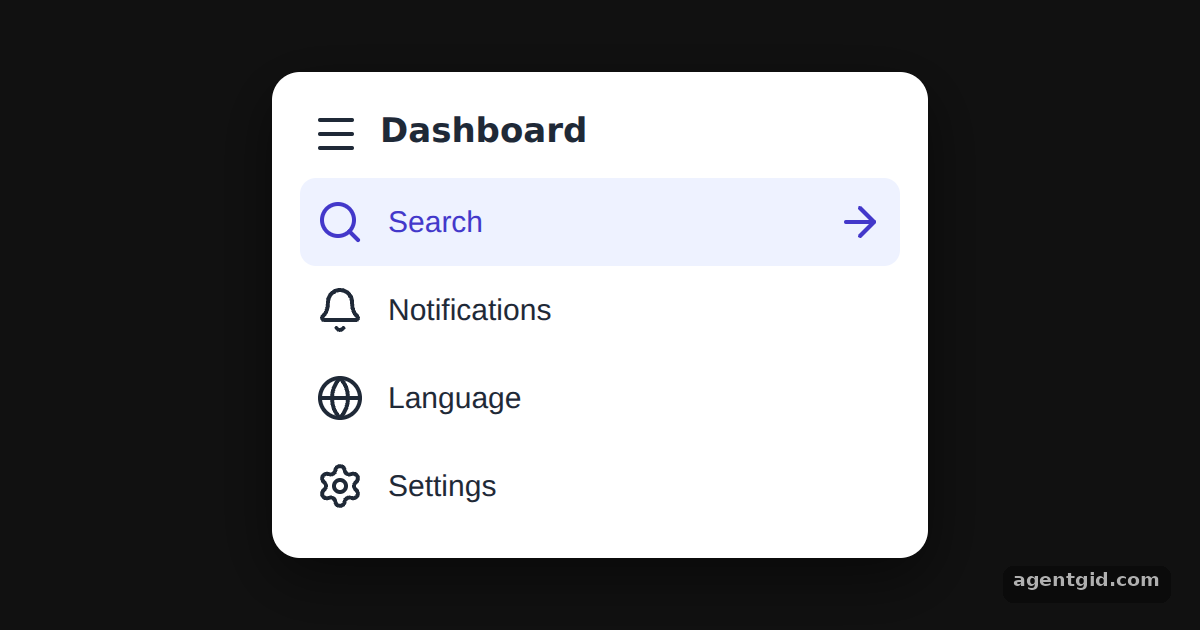
How it works
- Import icons by name. Each icon is a named export:
Menu,Search,Belland so on. Only the names listed in the import are used. [1] - Render them as components. Icons are written as JSX tags, for example
<Menu />. The menu stores the component itself in each item and renders it as<Icon />. [2] - Icons are SVG. Every component renders an SVG, so it sits inline next to the label text. The active row shows an extra
ArrowRighticon. [1]
Run and edit it
It runs in your browser, in a sandboxed frame that cannot see this site; the packages load from esm.sh only after you press Run.
import { useState } from "react";
import { Menu, Search, Bell, Globe, Settings, ArrowRight } from "lucide-react";

// only the icons imported above end up in the bundle
const items = [
  { Icon: Search, label: "Search" },
  { Icon: Bell, label: "Notifications" },
  { Icon: Globe, label: "Language" },
  { Icon: Settings, label: "Settings" },
];

const S = {
  page: { minHeight: "100vh", display: "flex", alignItems: "center", justifyContent: "center", background: "#111", fontFamily: "system-ui, sans-serif" },
  card: { width: 300, background: "#fff", color: "#1f2937", borderRadius: 14, padding: 14, boxShadow: "0 10px 30px rgba(0,0,0,.5)" },
  head: { display: "flex", alignItems: "center", gap: 10, fontWeight: 700, fontSize: 17, padding: "4px 6px 10px" },
  row: { display: "flex", alignItems: "center", gap: 12, width: "100%", padding: "10px 8px", border: 0, borderRadius: 8, fontSize: 15, cursor: "pointer", textAlign: "left" },
};

export default function App() {
  const [active, setActive] = useState("Search");
  return (
    <div style={S.page}>
      <nav style={S.card}>
        <div style={S.head}>
          <Menu /> Dashboard
        </div>
        {items.map(({ Icon, label }) => (
          <button
            key={label}
            onClick={() => setActive(label)}
            style={{ ...S.row, background: active === label ? "#eef2ff" : "transparent", color: active === label ? "#4338ca" : "#1f2937" }}
          >
            <Icon />
            <span>{label}</span>
            {active === label && <ArrowRight style={{ marginLeft: "auto" }} />}
          </button>
        ))}
      </nav>
    </div>
  );
}
Click a menu row to move the highlight and the arrow icon. Code written by AgentGid [1].
Click a menu row to move the highlight and the arrow icon. Code written by AgentGid [1].Checked Oct 12, 2026: it starts without errors in Chromium with lucide-react 1.55.0, react 19.3.0, react-dom 19.3.0. Needs WebGL.
More Lucide React examples
Changing icon colour in Lucide React Setting icon size in Lucide React Stroke width in Lucide React icons Filled icons in Lucide React
Sources
Explanations written by AgentGid from the official docs; the numbers in brackets point here. The code marked "written by AgentGid" is ours and free to copy.