Split arrays with _.partition
_.partition runs a test on every item and returns two arrays: items that passed and items that failed.
How it works
- Split with a function.
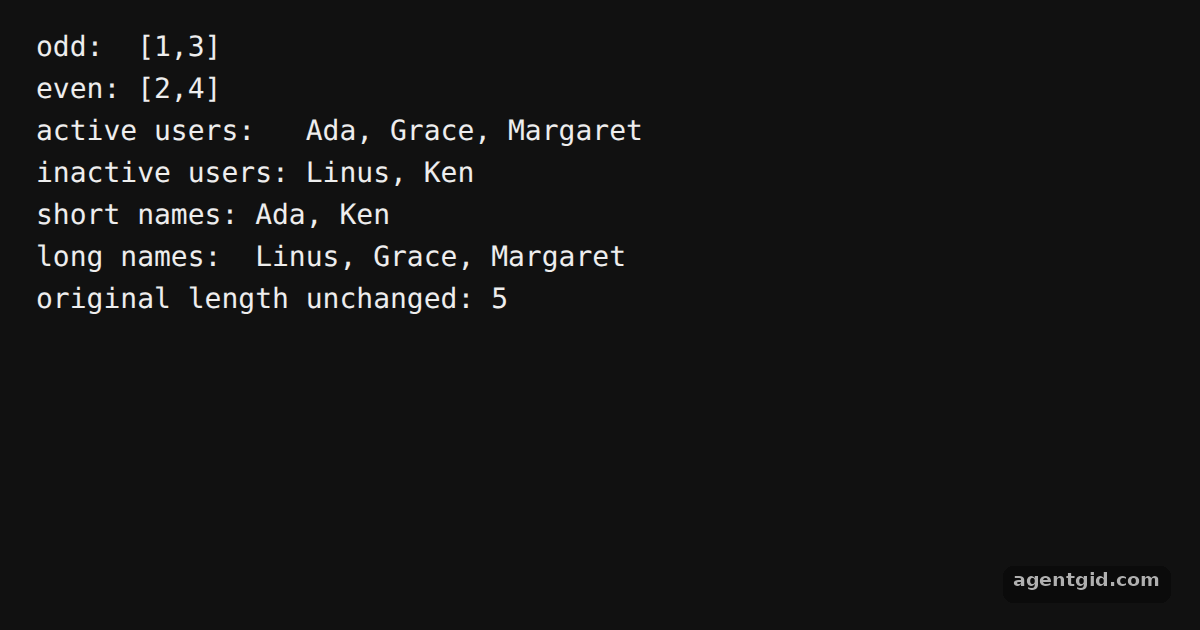
_.partition(numbers, n => n % 2)returns a pair of arrays, odd numbers first and even numbers second, as in the docs sample. [1] - Destructure the result. Because the result is always a two-item array, array destructuring gives both groups names in one line, like
[active, inactive]. [1] - Use a property name. Passing the string
'active'instead of a function tests that property on each user object. [1]
Run and edit it
It runs in your browser, in a sandboxed frame that cannot see this site; the packages load from esm.sh only after you press Run.
import _ from 'lodash';

// The sample from the Lodash homepage
const [odd, even] = _.partition([1, 2, 3, 4], (n) => n % 2);
console.log('odd: ', JSON.stringify(odd));
console.log('even:', JSON.stringify(even));

const users = [
  { name: 'Ada', active: true, points: 120 },
  { name: 'Linus', active: false, points: 45 },
  { name: 'Grace', active: true, points: 300 },
  { name: 'Ken', active: false, points: 80 },
  { name: 'Margaret', active: true, points: 15 },
];

// Property shorthand: tests user.active
const [active, inactive] = _.partition(users, 'active');
console.log('active users:  ', active.map((u) => u.name).join(', '));
console.log('inactive users:', inactive.map((u) => u.name).join(', '));

// Any function works as the test
const [short, long] = _.partition(users, (u) => u.name.length <= 4);
console.log('short names:', short.map((u) => u.name).join(', '));
console.log('long names: ', long.map((u) => u.name).join(', '));

console.log('original length unchanged:', users.length);
Change the predicate, for example to n => n > 2, and watch both groups change. Code written by AgentGid [1].
Change the predicate, for example to n => n > 2, and watch both groups change. Code written by AgentGid [1].Checked Oct 12, 2026: it starts without errors in Chromium with lodash 4.18.1. Needs WebGL.
More Lodash examples
Default values with _.defaults Read nested values with _.at Iterate collections with Lodash Compose functions with Lodash
Sources
Explanations written by AgentGid from the official docs; the numbers in brackets point here. The code marked "written by AgentGid" is ours and free to copy.