Read nested values with _.at
_.at takes a list of property paths and returns the values found at each one, in the same order.
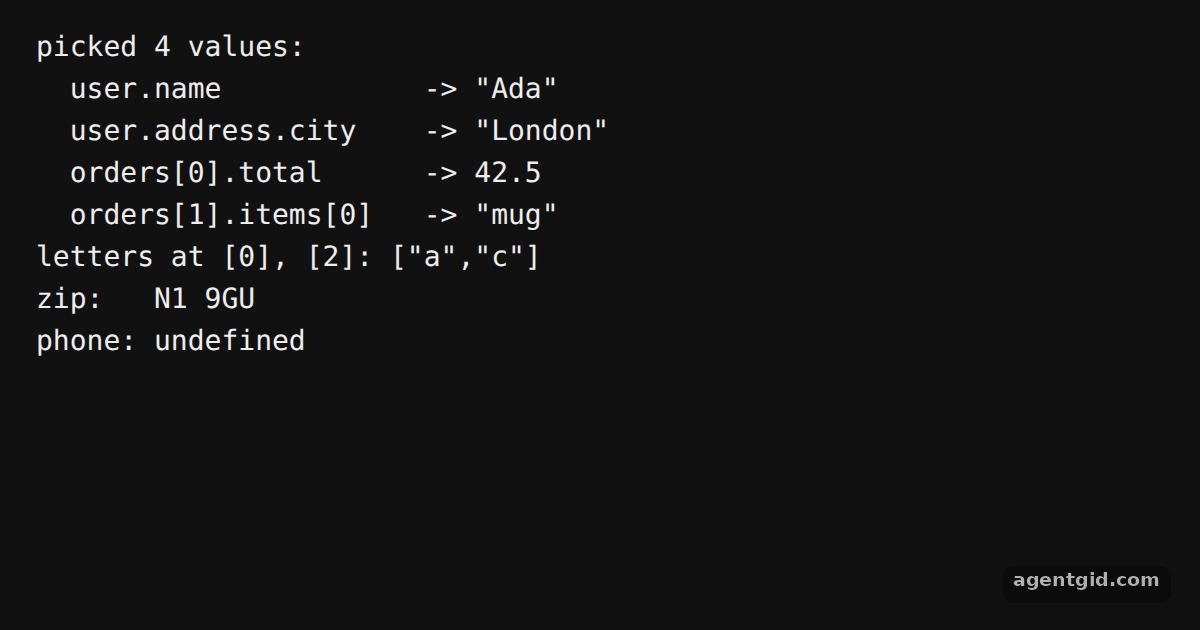
How it works
- A method you can cherry-pick.
atis one of the methods the docs show loading on its own; here it is called from the full build as_.at. [1] - Pass an array of paths. Each path is a string using dots and brackets, such as
'user.address.city'or'orders[0].total'. The result is an array of values in the same order. [2] - Missing paths. The last lines ask for
'user.phone.mobile', a path that is not in the data, and print what comes back for it. [2]
Run and edit it
It runs in your browser, in a sandboxed frame that cannot see this site; the packages load from esm.sh only after you press Run.
import _ from 'lodash';

const data = {
  user: { name: 'Ada', address: { city: 'London', zip: 'N1 9GU' } },
  orders: [
    { id: 101, total: 42.5, items: ['book', 'pen'] },
    { id: 102, total: 18, items: ['mug'] },
  ],
};

const paths = ['user.name', 'user.address.city', 'orders[0].total', 'orders[1].items[0]'];
const values = _.at(data, paths);

console.log('picked', values.length, 'values:');
paths.forEach((p, i) => console.log(`  ${p.padEnd(20)} -> ${JSON.stringify(values[i])}`));

// Arrays work too: index paths
const letters = ['a', 'b', 'c', 'd'];
console.log('letters at [0], [2]:', JSON.stringify(_.at(letters, ['[0]', '[2]'])));

// A missing path yields undefined, no error
const [zip, phone] = _.at(data, ['user.address.zip', 'user.phone.mobile']);
console.log('zip:  ', zip);
console.log('phone:', phone);
Add a path such as 'orders[1].items[0]' to the list and rerun. Code written by AgentGid [1].
Add a path such as 'orders[1].items[0]' to the list and rerun. Code written by AgentGid [1].Checked Oct 12, 2026: it starts without errors in Chromium with lodash 4.18.1. Needs WebGL.
More Lodash examples
Default values with _.defaults Split arrays with _.partition Iterate collections with Lodash Compose functions with Lodash
Sources
Explanations written by AgentGid from the official docs; the numbers in brackets point here. The code marked "written by AgentGid" is ours and free to copy.