Markers and popups in Leaflet
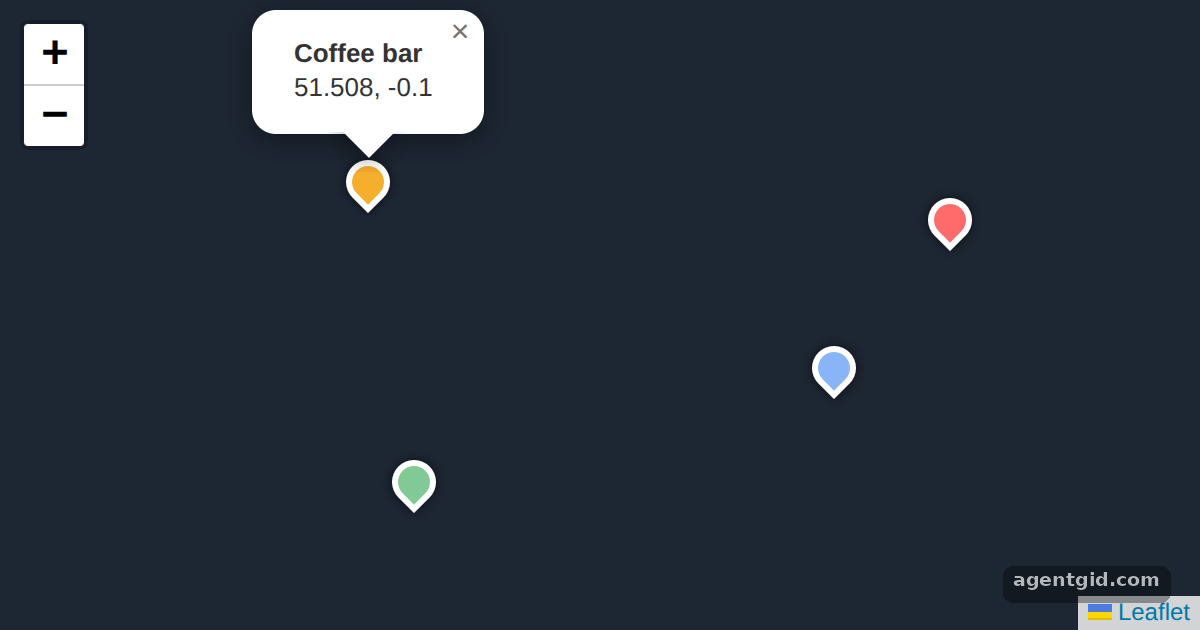
Markers pin places on a map, and popups show details when a marker is clicked. Here the markers are HTML, so no image files are needed.
How it works
- Create the map.
L.map(el).setView([51.505, -0.09], 14)creates a map in the container and sets its centre and zoom. No tile layer is added, so the map has a plain background. [1] - Build HTML markers.
L.divIconturns a small HTML snippet into a marker icon, coloured per place with a CSS class from the injected<style>. [1] - Bind and open popups. Each marker gets
bindPopup()with its name; the first one callsopenPopup()so a popup is visible right away. [1]
Run and edit it
It runs in your browser, in a sandboxed frame that cannot see this site; the packages load from esm.sh only after you press Run.
import * as L from 'leaflet';

const el = document.createElement('div');
el.style.cssText = 'position:fixed;inset:0;background:#1d2633';
document.getElementById('root').appendChild(el);

const style = document.createElement('style');
style.textContent = '.pin span{display:block;width:22px;height:22px;border:3px solid #fff;box-sizing:border-box;' +
  'border-radius:50% 50% 50% 0;transform:rotate(-45deg);box-shadow:0 0 6px #0009}';
document.head.appendChild(style);

const map = L.map(el).setView([51.505, -0.09], 14);

const places = [
  { name: 'Coffee bar', pos: [51.508, -0.1], color: '#f6ae2d' },
  { name: 'Bookshop', pos: [51.503, -0.08], color: '#8ab4f8' },
  { name: 'Park gate', pos: [51.5, -0.098], color: '#81c995' },
  { name: 'Museum', pos: [51.507, -0.075], color: '#ff6b6b' },
];

const markers = places.map(p => {
  const icon = L.divIcon({
    className: 'pin',
    html: `<span style="background:${p.color}"></span>`,
    iconSize: [22, 22],
    iconAnchor: [11, 26],
    popupAnchor: [0, -26],
  });
  return L.marker(p.pos, { icon }).addTo(map)
    .bindPopup(`<b>${p.name}</b><br>${p.pos.join(', ')}`);
});

markers[0].openPopup();
Click any pin to open its popup; drag the map to pan and scroll to zoom. Code written by AgentGid [1].
Click any pin to open its popup; drag the map to pan and scroll to zoom. Code written by AgentGid [1].Checked Oct 12, 2026: it starts without errors in Chromium with leaflet 1.9.4. Needs WebGL.
More Leaflet examples
GeoJSON layers in Leaflet Handling map clicks in Leaflet Layer switcher and scale control in Leaflet
Sources
Explanations written by AgentGid from the official docs; the numbers in brackets point here. The code marked "written by AgentGid" is ours and free to copy.