Layer switcher and scale control in Leaflet
A layer switcher lets users turn groups of map data on and off, and a scale bar shows distances at the current zoom.
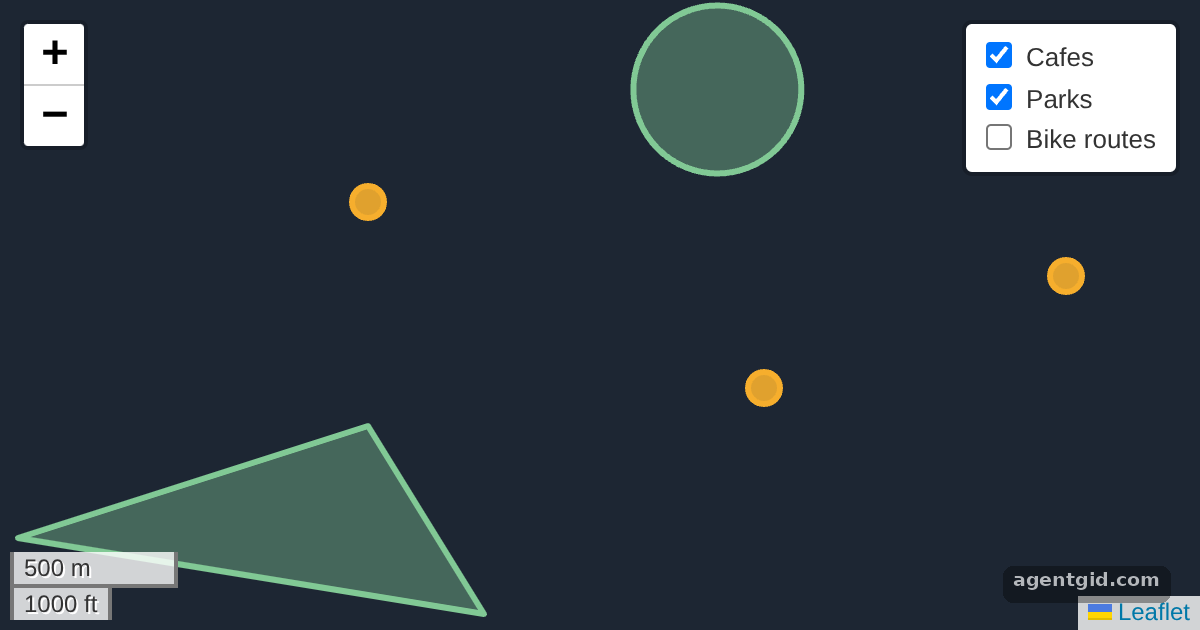
How it works
- Group layers.
L.layerGroupcollects related shapes: cafes, parks and bike routes. Two groups are added to the map at start; the routes are not. [1] - Add the layer switcher.
L.control.layers(null, overlays, { collapsed: false })shows a checkbox for each overlay group, already expanded. [1] - Add a scale bar and popups.
L.control.scale().addTo(map)adds a scale bar control. Each cafe point also hasbindPopup(), so clicking it shows the cafe name. [1]
Run and edit it
It runs in your browser, in a sandboxed frame that cannot see this site; the packages load from esm.sh only after you press Run.
import * as L from 'leaflet';

const el = document.createElement('div');
el.style.cssText = 'position:fixed;inset:0;background:#1d2633';
document.getElementById('root').appendChild(el);

const map = L.map(el).setView([51.505, -0.09], 14);
const dot = (pos, name) => L.circleMarker(pos, { radius: 8, color: '#f6ae2d', fillOpacity: 0.9 }).bindPopup(name);

const cafes = L.layerGroup([
  dot([51.508, -0.1], 'Cafe Nero'),
  dot([51.503, -0.083], 'Corner Cafe'),
  dot([51.506, -0.07], 'Tea House'),
]).addTo(map);

const parks = L.layerGroup([
  L.polygon([[51.499, -0.115], [51.502, -0.1], [51.497, -0.095]], { color: '#81c995', fillOpacity: 0.4 }),
  L.circle([51.511, -0.085], { radius: 250, color: '#81c995', fillOpacity: 0.4 }),
]).addTo(map);

const routes = L.layerGroup([
  L.polyline([[51.496, -0.12], [51.504, -0.095], [51.5, -0.065]], { color: '#8ab4f8', weight: 5 }),
]);

L.control.layers(null, { Cafes: cafes, Parks: parks, 'Bike routes': routes }, { collapsed: false }).addTo(map);
L.control.scale().addTo(map);
Tick and untick the boxes in the top-right control to show or hide each group. Code written by AgentGid [1].
Tick and untick the boxes in the top-right control to show or hide each group. Code written by AgentGid [1].Checked Oct 12, 2026: it starts without errors in Chromium with leaflet 1.9.4. Needs WebGL.
More Leaflet examples
Markers and popups in Leaflet GeoJSON layers in Leaflet Handling map clicks in Leaflet
Sources
Explanations written by AgentGid from the official docs; the numbers in brackets point here. The code marked "written by AgentGid" is ours and free to copy.