GeoJSON layers in Leaflet
GeoJSON is a common format for map data. Leaflet can turn a FeatureCollection of points, lines and polygons into map layers.
How it works
- Pass GeoJSON to L.geoJSON.
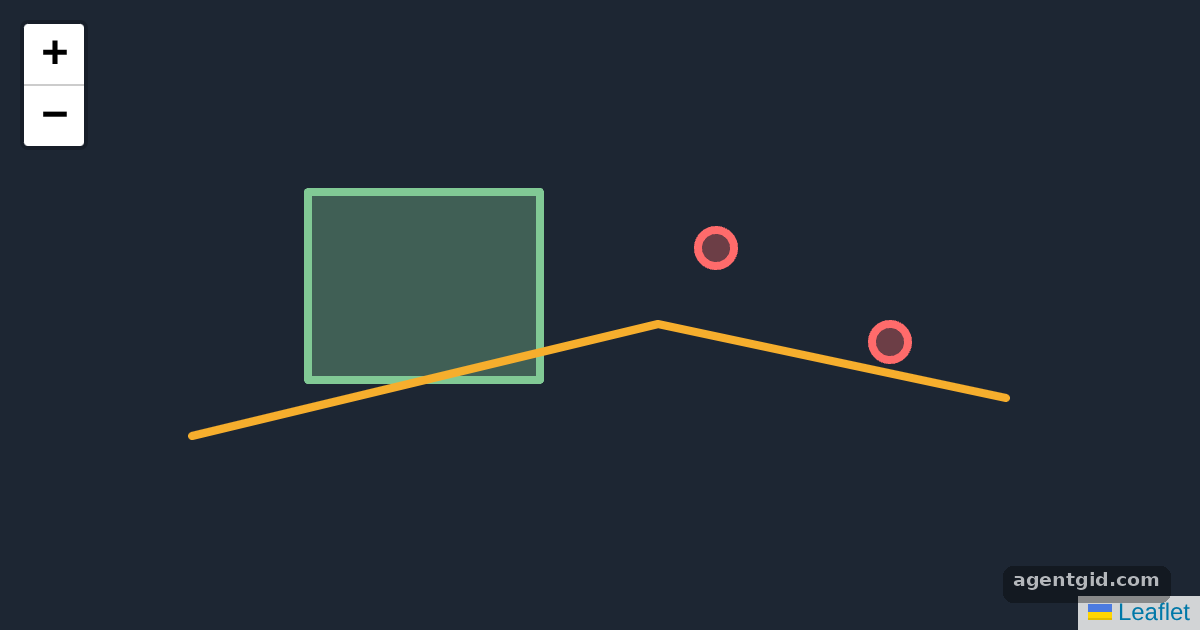
datais a FeatureCollection with a polygon, a line and two points.L.geoJSON(data, options)creates a layer for each feature. [1] - Style by property. The
stylefunction readsfeature.properties.kindto choose a colour, andpointToLayerdraws points asL.circleMarker. [1] - Popups per feature.
onEachFeaturebinds a popup with the feature name and geometry type.fitBoundsthen frames the whole layer. [1]
Run and edit it
It runs in your browser, in a sandboxed frame that cannot see this site; the packages load from esm.sh only after you press Run.
import * as L from 'leaflet';

const el = document.createElement('div');
el.style.cssText = 'position:fixed;inset:0;background:#1d2633';
document.getElementById('root').appendChild(el);

const data = {
  type: 'FeatureCollection',
  features: [
    { type: 'Feature', properties: { name: 'Riverside Park', kind: 'park' },
      geometry: { type: 'Polygon', coordinates: [[[-0.12, 51.5], [-0.1, 51.5], [-0.1, 51.51], [-0.12, 51.51], [-0.12, 51.5]]] } },
    { type: 'Feature', properties: { name: 'Bike route', kind: 'route' },
      geometry: { type: 'LineString', coordinates: [[-0.13, 51.497], [-0.09, 51.503], [-0.06, 51.499]] } },
    { type: 'Feature', properties: { name: 'Station', kind: 'stop' },
      geometry: { type: 'Point', coordinates: [-0.085, 51.507] } },
    { type: 'Feature', properties: { name: 'Market', kind: 'stop' },
      geometry: { type: 'Point', coordinates: [-0.07, 51.502] } },
  ],
};
const colors = { park: '#81c995', route: '#f6ae2d', stop: '#ff6b6b' };

const map = L.map(el);
const layer = L.geoJSON(data, {
  style: f => ({ color: colors[f.properties.kind], weight: 4, fillOpacity: 0.35 }),
  pointToLayer: (f, latlng) => L.circleMarker(latlng, { radius: 9, fillOpacity: 0.9 }),
  onEachFeature: (f, l) => l.bindPopup(`<b>${f.properties.name}</b><br>${f.geometry.type}`),
}).addTo(map);

map.fitBounds(layer.getBounds(), { padding: [30, 30] });
Click the park, the route or a point to see its properties. Code written by AgentGid [1].
Click the park, the route or a point to see its properties. Code written by AgentGid [1].Checked Oct 12, 2026: it starts without errors in Chromium with leaflet 1.9.4. Needs WebGL.
More Leaflet examples
Markers and popups in Leaflet Handling map clicks in Leaflet Layer switcher and scale control in Leaflet
Sources
Explanations written by AgentGid from the official docs; the numbers in brackets point here. The code marked "written by AgentGid" is ours and free to copy.