A live-updating line chart in Recharts
Dashboards often show a rolling window of recent values. With Recharts you keep the points in React state and pass the current array to the chart.
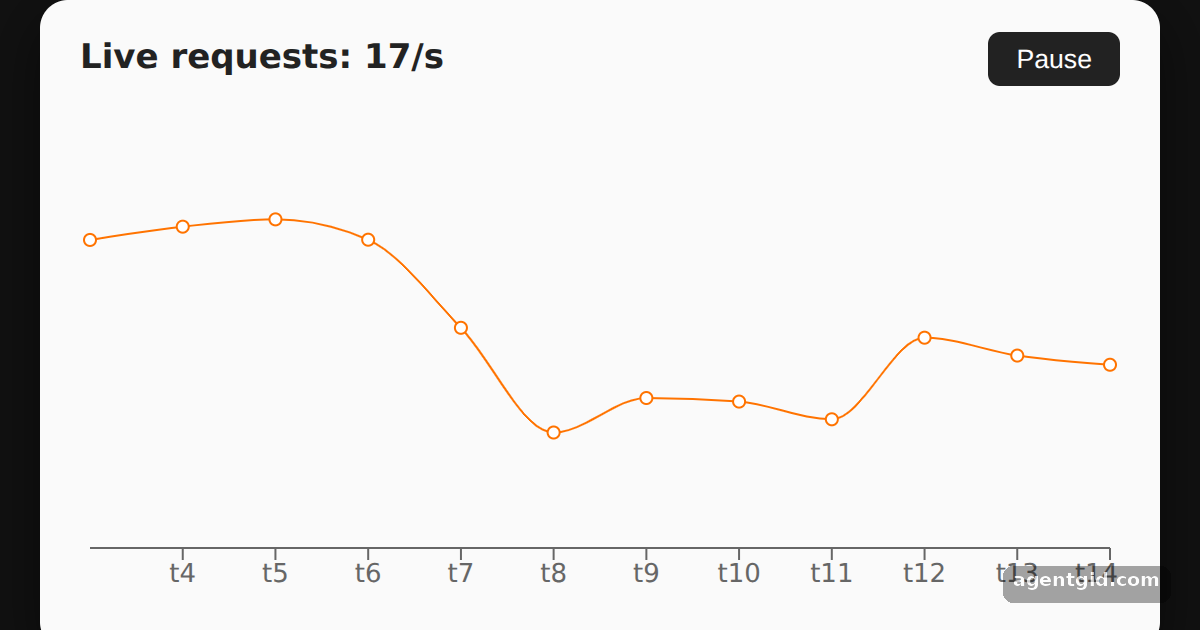
How it works
- Keep the data in state.
useStateholds 12 points. Every secondsetIntervalappends a new random value and drops the oldest, so the window stays the same size. [1] - Pass the new array. On each render
LineChartgets the currentdataarray, the samedata={data}prop as in the README example. [1] - Pause and resume. The button flips
running, and the effect clears or restarts the interval. The chart itself does not need any change. [1]
Run and edit it
It runs in your browser, in a sandboxed frame that cannot see this site; the packages load from esm.sh only after you press Run.
import { useEffect, useState } from "react";
import { LineChart, Line, XAxis } from "recharts";

// start with 12 points, then add one per second
const point = (i, prev) => ({ name: "t" + i, value: Math.max(5, Math.round(prev + (Math.random() - 0.5) * 30)) });
const initial = [];
for (let i = 0; i < 12; i++) initial.push(point(i, i ? initial[i - 1].value : 50));

export default function App() {
  const [data, setData] = useState(initial);
  const [running, setRunning] = useState(true);

  useEffect(() => {
    if (!running) return;
    const id = setInterval(() => {
      setData((d) => {
        const last = d[d.length - 1];
        const next = point(Number(last.name.slice(1)) + 1, last.value);
        return [...d.slice(1), next]; // keep the last 12 points
      });
    }, 1000);
    return () => clearInterval(id);
  }, [running]);

  const latest = data[data.length - 1].value;

  return (
    <div style={{ minHeight: "100vh", display: "flex", alignItems: "center", justifyContent: "center", background: "#111", fontFamily: "system-ui, sans-serif" }}>
      <div style={{ background: "#fafafa", color: "#222", padding: "16px 20px", borderRadius: 14, boxShadow: "0 10px 30px rgba(0,0,0,.5)" }}>
        <div style={{ display: "flex", justifyContent: "space-between", alignItems: "center", marginBottom: 6 }}>
          <h3 style={{ margin: 0, fontSize: 17 }}>Live requests: {latest}/s</h3>
          <button onClick={() => setRunning((r) => !r)}
            style={{ padding: "6px 14px", border: 0, borderRadius: 6, background: "#222", color: "#fff", cursor: "pointer" }}>
            {running ? "Pause" : "Resume"}
          </button>
        </div>
        <LineChart width={520} height={260} data={data}>
          <XAxis dataKey="name" />
          <Line type="monotone" dataKey="value" stroke="#ff7300" />
        </LineChart>
      </div>
    </div>
  );
}
Watch the line scroll left as new points arrive; press Pause to freeze it. Code written by AgentGid [1].
Watch the line scroll left as new points arrive; press Pause to freeze it. Code written by AgentGid [1].Checked Oct 12, 2026: it starts without errors in Chromium with recharts 3.10.1, react 19.3.0, react-dom 19.3.0, react-is 19.3.0. Needs WebGL.
More Recharts examples
A simple line chart in Recharts Multiple lines in one Recharts chart Tooltip and grid in a Recharts line chart
Sources
Explanations written by AgentGid from the official docs; the numbers in brackets point here. The code marked "written by AgentGid" is ours and free to copy.