Recharts Examples You Can Edit and Run
4 small Recharts examples written by AgentGid from the official docs, one feature each. Every one runs in your browser: change the code and see the result at once, or describe a change and let AI rewrite it. The screenshots are taken from the same code by our server, which also checks that each example starts without errors.
Recharts: usage and stats 572 AI-built projects use it
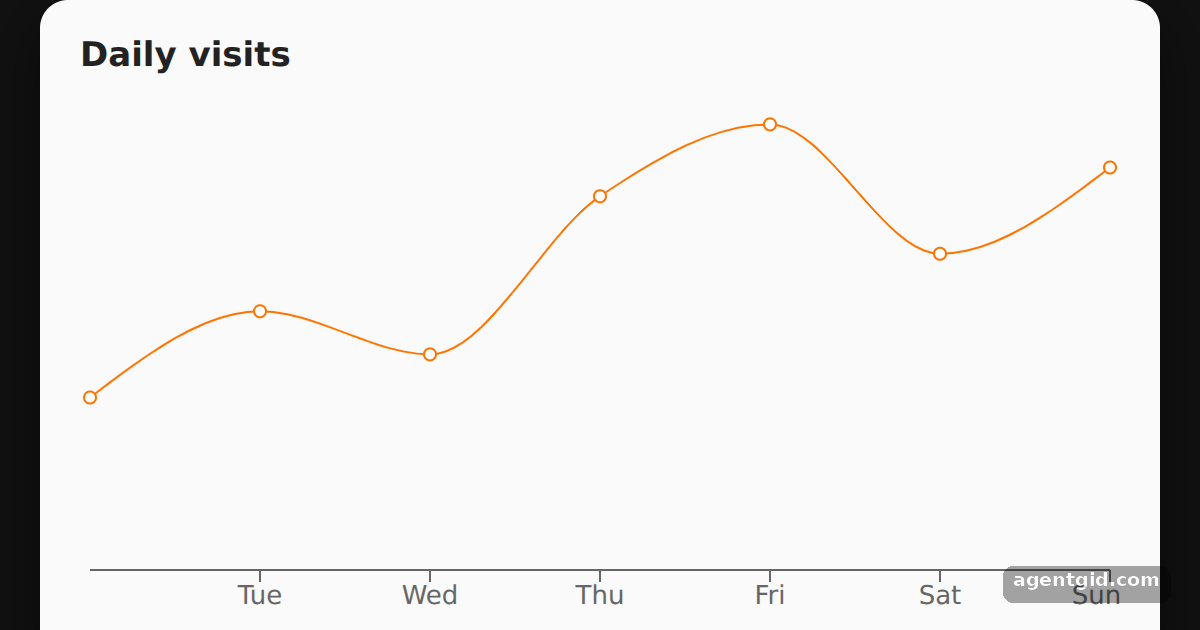 A simple line chart in RechartsChange a number in the data array and run it again to see the line move.
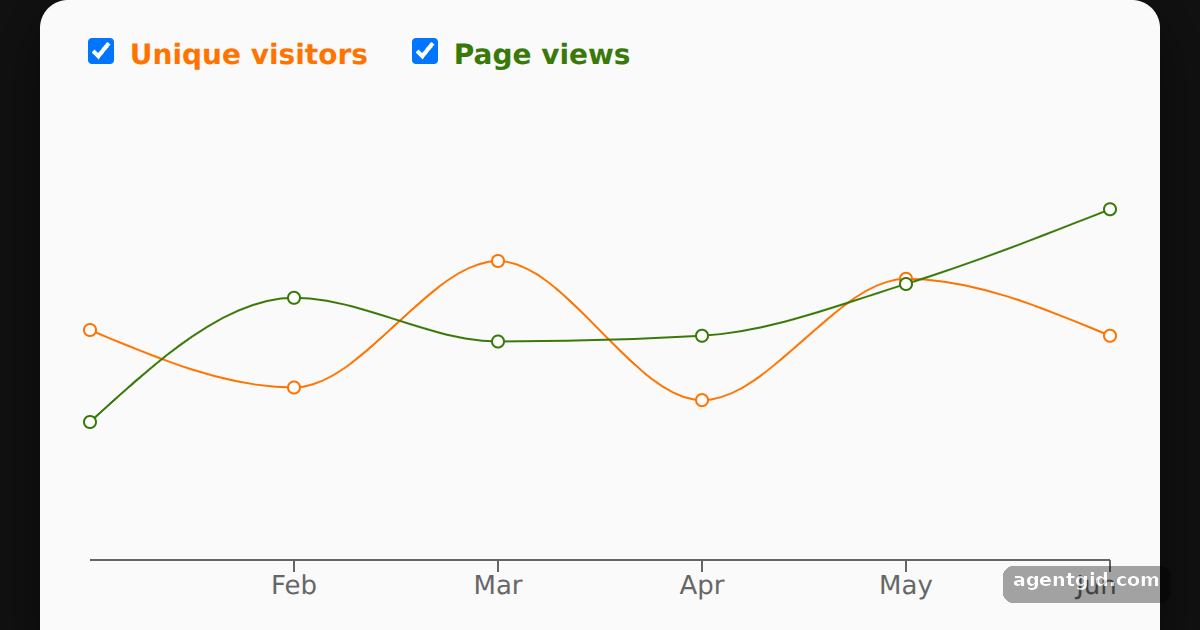 Multiple lines in one Recharts chartUntick one of the checkboxes to remove that line from the chart.
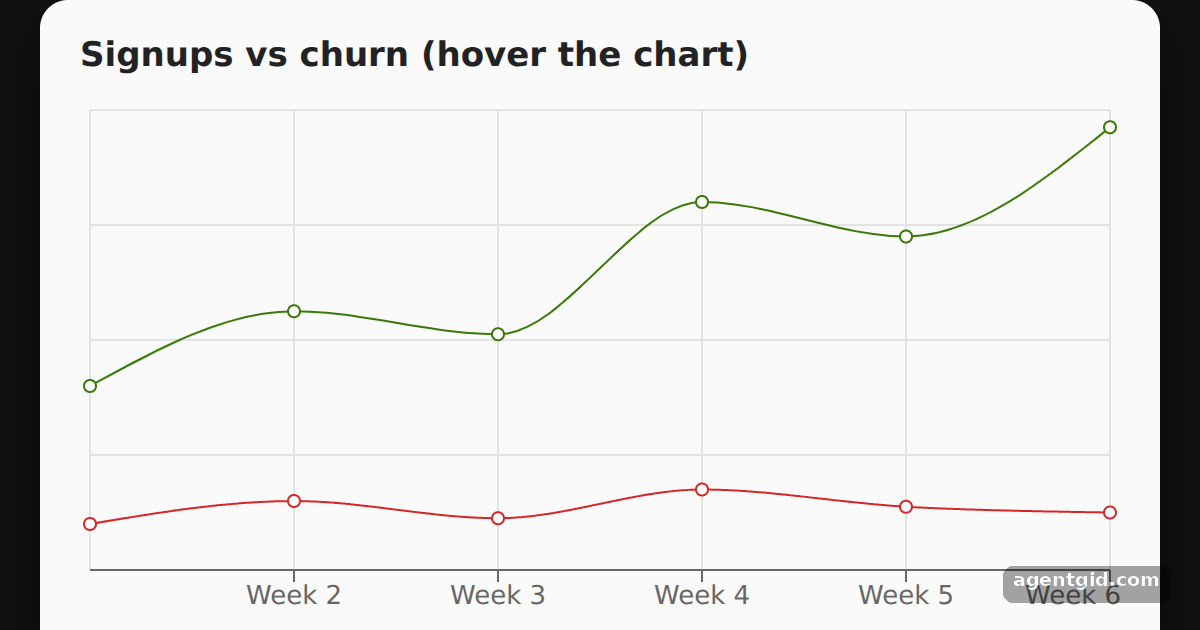 Tooltip and grid in a Recharts line chartHover over the chart to see the tooltip with both values for that week.
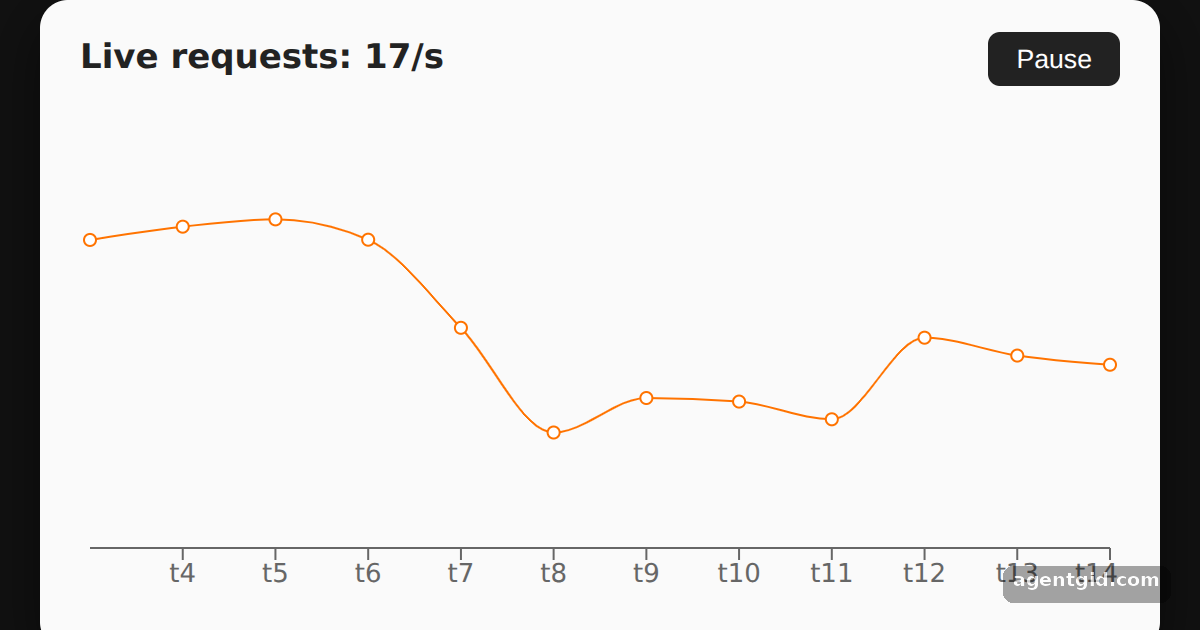 A live-updating line chart in RechartsWatch the line scroll left as new points arrive; press Pause to freeze it.
Try them all in one place
import { LineChart, Line, XAxis } from "recharts";

const data = [
  { name: "Mon", visits: 120 },
  { name: "Tue", visits: 180 },
  { name: "Wed", visits: 150 },
  { name: "Thu", visits: 260 },
  { name: "Fri", visits: 310 },
  { name: "Sat", visits: 220 },
  { name: "Sun", visits: 280 },
];

export default function App() {
  return (
    <div style={{ minHeight: "100vh", display: "flex", alignItems: "center", justifyContent: "center", background: "#111", fontFamily: "system-ui, sans-serif" }}>
      <div style={{ background: "#fafafa", color: "#222", padding: "16px 20px", borderRadius: 14, boxShadow: "0 10px 30px rgba(0,0,0,.5)" }}>
        <h3 style={{ margin: "0 0 8px", fontSize: 17 }}>Daily visits</h3>
        <LineChart width={520} height={270} data={data}>
          <XAxis dataKey="name" />
          <Line type="monotone" dataKey="visits" stroke="#ff7300" />
        </LineChart>
      </div>
    </div>
  );
}
Change a number in the data array and run it again to see the line move. Code written by AgentGid [1]. How it works, with a screenshot →
Change a number in the data array and run it again to see the line move. Code written by AgentGid [1]. How it works, with a screenshot →Untick one of the checkboxes to remove that line from the chart. Code written by AgentGid [1]. How it works, with a screenshot →Hover over the chart to see the tooltip with both values for that week. Code written by AgentGid [1]. How it works, with a screenshot →Watch the line scroll left as new points arrive; press Pause to freeze it. Code written by AgentGid [1]. How it works, with a screenshot →Checked Oct 12, 2026: each example starts without errors in Chromium with recharts 3.10.1, react 19.3.0, react-dom 19.3.0, react-is 19.3.0. Needs WebGL.
Sources
Explanations written by AgentGid from the official docs; the numbers in brackets point here. The code marked "written by AgentGid" is ours and free to copy.