Styled components with Emotion
@emotion/styled lets you create React components that carry their own CSS, written as a template literal next to the component.
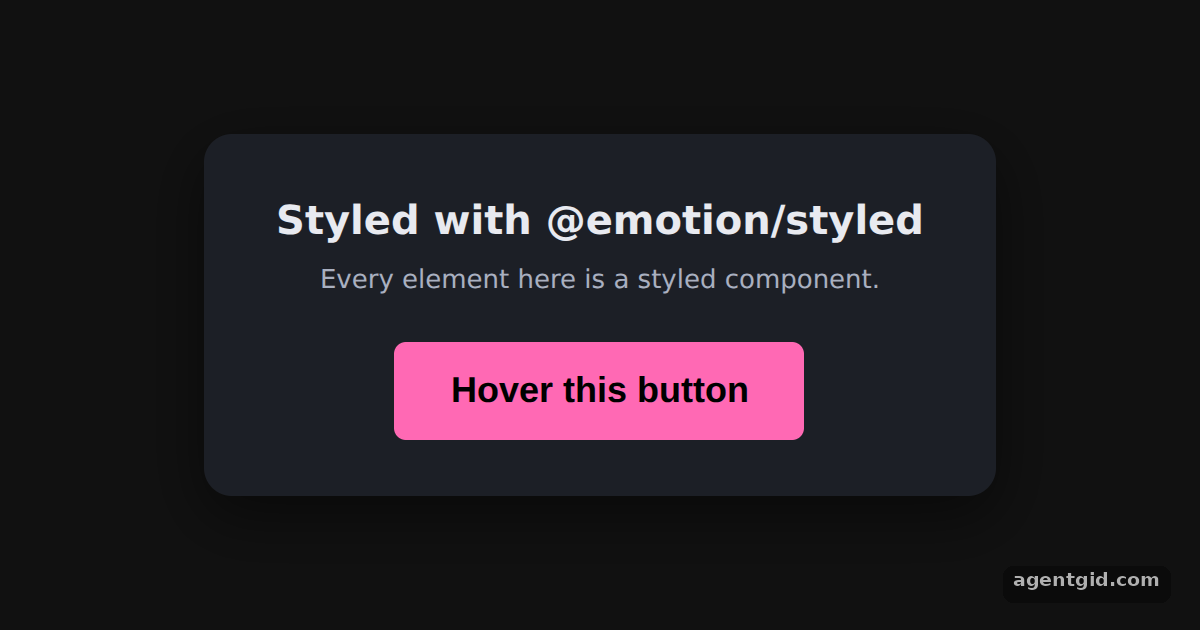
How it works
- Create components from tags.
styled.div,styled.h2,styled.pandstyled.buttoneach take a CSS template and return a component:Card,Title,HintandButton. [1] - Write plain CSS. The template is ordinary CSS text. The button uses the same hotpink background as the Emotion docs. [1]
- Hover with &.
&:hoverinside the button's template changes the text colour to white while the pointer is over it. [1]
Run and edit it
It runs in your browser, in a sandboxed frame that cannot see this site; the packages load from esm.sh only after you press Run.
import styled from "@emotion/styled";

const Card = styled.div`
  background: #1c1f26;
  color: #e8eaf0;
  padding: 28px 36px;
  border-radius: 14px;
  text-align: center;
  font-family: system-ui, sans-serif;
  box-shadow: 0 10px 30px rgba(0, 0, 0, 0.5);
`;

const Title = styled.h2`
  margin: 0 0 6px;
  font-size: 20px;
`;

const Hint = styled.p`
  margin: 0 0 20px;
  font-size: 13px;
  color: #a9b0c0;
`;

const Button = styled.button`
  padding: 14px 28px;
  background-color: hotpink;
  font-size: 18px;
  border: 0;
  border-radius: 6px;
  color: black;
  font-weight: bold;
  cursor: pointer;
  &:hover {
    color: white;
  }
`;

export default function App() {
  return (
    <div style={{ minHeight: "100vh", display: "flex", alignItems: "center", justifyContent: "center", background: "#111", fontFamily: "system-ui, sans-serif" }}>
      <Card>
        <Title>Styled with @emotion/styled</Title>
        <Hint>Every element here is a styled component.</Hint>
        <Button>Hover this button</Button>
      </Card>
    </div>
  );
}
Hover the pink button to see the &:hover rule switch its text to white. Code written by AgentGid [1].
Hover the pink button to see the &:hover rule switch its text to white. Code written by AgentGid [1].Checked Oct 12, 2026: it starts without errors in Chromium with @emotion/react 11.14.0, react 19.3.0, react-dom 19.3.0, @emotion/styled 11.14.1. Needs WebGL.
More Emotion examples
The css prop in Emotion Object styles in Emotion Nested selectors in Emotion Media queries in Emotion
Sources
Explanations written by AgentGid from the official docs; the numbers in brackets point here. The code marked "written by AgentGid" is ours and free to copy.