Error handling in Axios
When a request fails, Axios rejects with an AxiosError that carries the response, the error code and the config, so your catch block can react to each case.
How it works
- Simulate a failing request. The
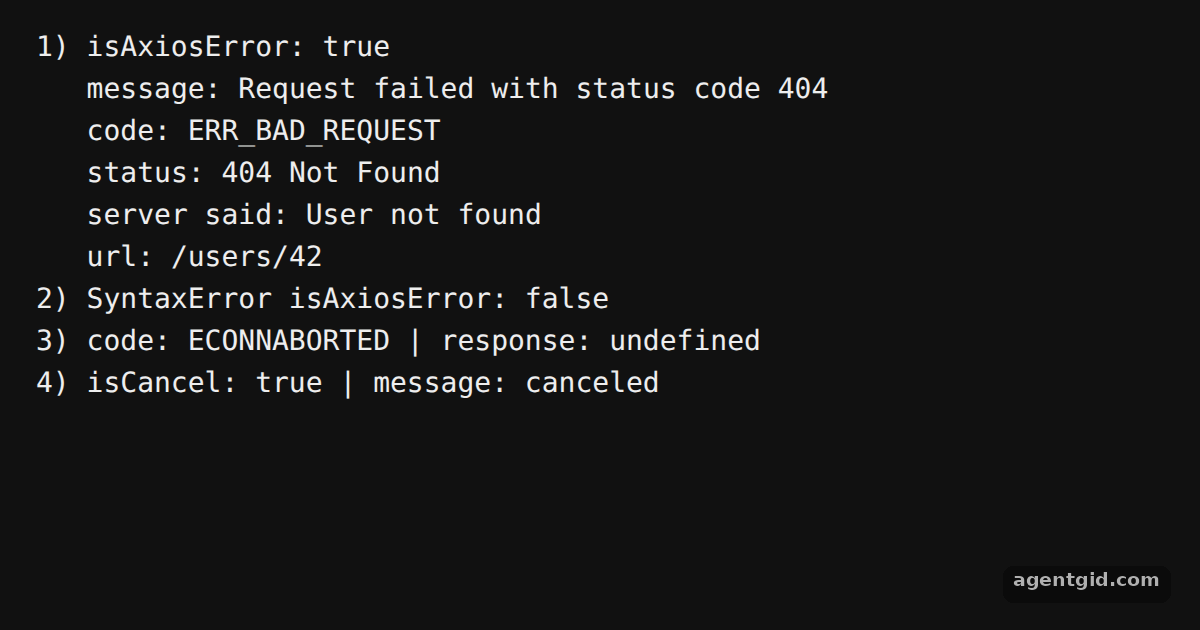
notFoundadapter rejects withnew AxiosError(message, code, config, request, response), giving a 404 response object without any network. [1] - Narrow the error in catch.
axios.isAxiosError(error)is true for the 404, so the code can safely readerror.response.status, the server message anderror.config.url. A plainSyntaxErrorreturns false. [1] - Errors without a response. The timeout-style adapter rejects with code
ECONNABORTEDand no response, soerror.responseisundefinedand the code is the useful part. [1] - Tell cancellations apart. The last request uses an
AbortControllerthat is aborted before the call.axios.isCancel(error)returns true for that error. [1]
Run and edit it
It runs in your browser, in a sandboxed frame that cannot see this site; the packages load from esm.sh only after you press Run.
import axios, { AxiosError } from 'axios';

// Offline adapter that fails like a 404 from a server
const notFound = (config) => {
  const response = { data: { message: 'User not found' }, status: 404, statusText: 'Not Found', headers: {}, config };
  return Promise.reject(new AxiosError('Request failed with status code 404', 'ERR_BAD_REQUEST', config, {}, response));
};

try {
  await axios.get('/users/42', { adapter: notFound });
} catch (error) {
  if (axios.isAxiosError(error)) {
    console.log('1) isAxiosError:', true);
    console.log('   message:', error.message);
    console.log('   code:', error.code);
    console.log('   status:', error.response?.status, error.response?.statusText);
    console.log('   server said:', error.response?.data.message);
    console.log('   url:', error.config?.url);
  } else {
    throw error;
  }
}

// A non-axios error
try {
  JSON.parse('{oops');
} catch (error) {
  console.log('2) SyntaxError isAxiosError:', axios.isAxiosError(error));
}

// A failure with no response at all
const timedOut = (config) =>
  Promise.reject(new AxiosError('timeout of 2000ms exceeded', 'ECONNABORTED', config));

try {
  await axios.get('/slow', { adapter: timedOut, timeout: 2000 });
} catch (error) {
  console.log('3) code:', error.code, '| response:', error.response);
}

// A cancelled request
const controller = new AbortController();
controller.abort();
try {
  await axios.get('/search', { signal: controller.signal, adapter: notFound });
} catch (error) {
  console.log('4) isCancel:', axios.isCancel(error), '| message:', error.message);
}
Each block in the console is one failure type; change the status in notFound to 500 and run again. Code written by AgentGid [1].
Each block in the console is one failure type; change the status in notFound to 500 and run again. Code written by AgentGid [1].Checked Oct 12, 2026: it starts without errors in Chromium with axios 1.20.0. Needs WebGL.
More Axios examples
Custom adapters in Axios Creating an instance in Axios Interceptors in Axios transformResponse in Axios
Sources
Explanations written by AgentGid from the official docs; the numbers in brackets point here. The code marked "written by AgentGid" is ours and free to copy.