Using a Zustand store outside components
The hook that create returns also carries getState, setState and subscribe, so code outside components can read, update and watch the store.
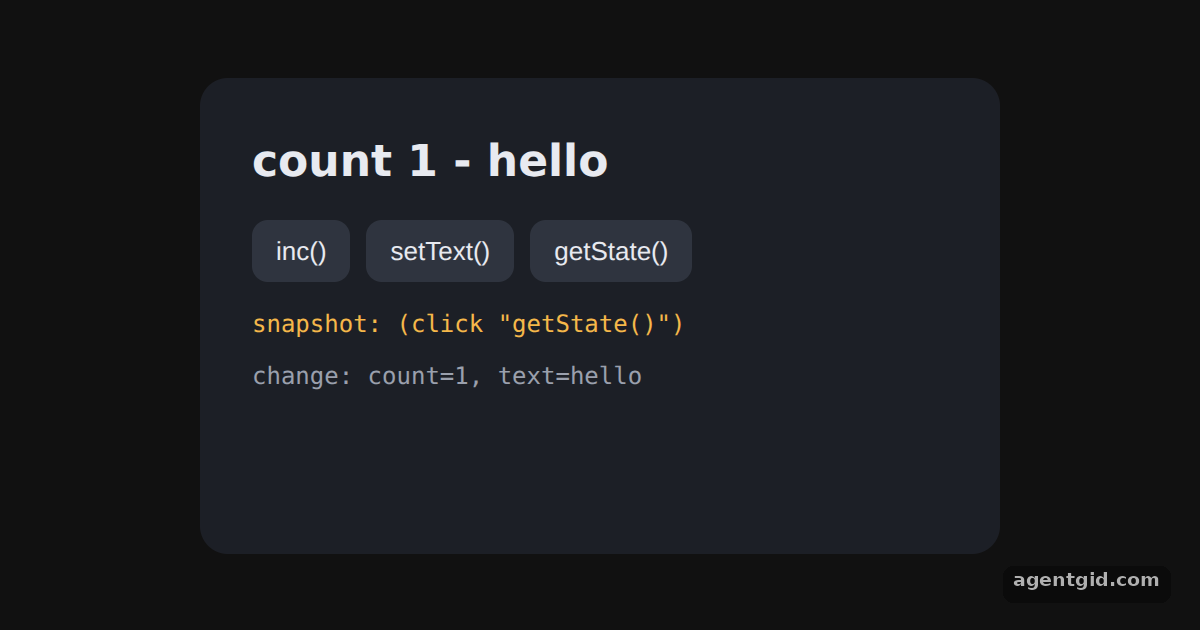
How it works
- Define actions at module level. The store holds only data.
incandsetTextare plain functions that calluseCounterStore.setState, so a timer can callincdirectly. [1] - Read a snapshot with getState. The getState() button reads the whole state once and prints it. This read does not subscribe the component to anything. [2]
- Listen with subscribe.
subscribereturns an unsubscribe function. Returning it fromuseEffectremoves the listener when the component unmounts. [2]
Run and edit it
It runs in your browser, in a sandboxed frame that cannot see this site; the packages load from esm.sh only after you press Run.
import { useEffect, useState } from 'react'
import { create } from 'zustand'

const useCounterStore = create(() => ({ count: 0, text: 'hello' }))

// Actions at module level: plain functions, no hook needed to call them
const inc = () => useCounterStore.setState((state) => ({ count: state.count + 1 }))
const setText = (text) => useCounterStore.setState({ text })

const btn = { padding: '8px 12px', border: 0, borderRadius: 8, background: '#2f343f', color: '#e8eaf0', cursor: 'pointer', fontSize: 13 }

export default function App() {
  const count = useCounterStore((state) => state.count)
  const text = useCounterStore((state) => state.text)
  const [log, setLog] = useState([])
  const [snapshot, setSnapshot] = useState('(click "getState()")')

  // A timer calls the module-level action every 1.5 s
  useEffect(() => {
    const id = setInterval(inc, 1500)
    return () => clearInterval(id)
  }, [])

  // subscribe returns an unsubscribe function, used as the effect cleanup
  useEffect(() => useCounterStore.subscribe((state) => {
    setLog((lines) => [`change: count=${state.count}, text=${state.text}`, ...lines].slice(0, 4))
  }), [])

  return (
    <div style={{ minHeight: '100vh', display: 'flex', alignItems: 'center', justifyContent: 'center', background: '#111', fontFamily: 'system-ui, sans-serif' }}>
      <div style={{ background: '#1c1f26', color: '#e8eaf0', padding: 26, borderRadius: 14, width: 400, boxSizing: 'border-box' }}>
        <h2 style={{ margin: '0 0 12px', fontSize: 22 }}>count {count} - {text}</h2>
        <div style={{ display: 'flex', gap: 8, marginBottom: 12 }}>
          <button style={btn} onClick={inc}>inc()</button>
          <button style={btn} onClick={() => setText(text === 'hello' ? 'world' : 'hello')}>setText()</button>
          <button style={btn} onClick={() => setSnapshot(JSON.stringify(useCounterStore.getState()))}>getState()</button>
        </div>
        <div style={{ fontFamily: 'ui-monospace, monospace', fontSize: 12, color: '#f5b84a', marginBottom: 8 }}>snapshot: {snapshot}</div>
        <div style={{ fontFamily: 'ui-monospace, monospace', fontSize: 12, color: '#9aa0ad', minHeight: 72 }}>
          {log.length ? log.map((line, i) => <div key={i}>{line}</div>) : 'waiting for the first change...'}
        </div>
      </div>
    </div>
  )
}
The count ticks every 1.5 seconds from outside React; each change appears in the log, and getState() prints a snapshot. Code written by AgentGid [1].
The count ticks every 1.5 seconds from outside React; each change appears in the log, and getState() prints a snapshot. Code written by AgentGid [1].Checked Oct 12, 2026: it starts without errors in Chromium with zustand 5.0.15, react 19.3.0, react-dom 19.3.0. Needs WebGL.
More Zustand examples
Creating a store in Zustand Updating state from inputs in Zustand Async actions in Zustand Updating nested state in Zustand
Sources
Explanations written by AgentGid from the official docs; the numbers in brackets point here. The code marked "written by AgentGid" is ours and free to copy.