Edit YAML without losing comments
Config files often carry comments that a plain parse and stringify would drop; working on a Document keeps them while you change values.
How it works
- Parse to a Document.
parseDocument(str)returns aDocumentinstead of plain data. The docs describe Documents as the second API layer, above parse and stringify. [1] - Change values. The code updates
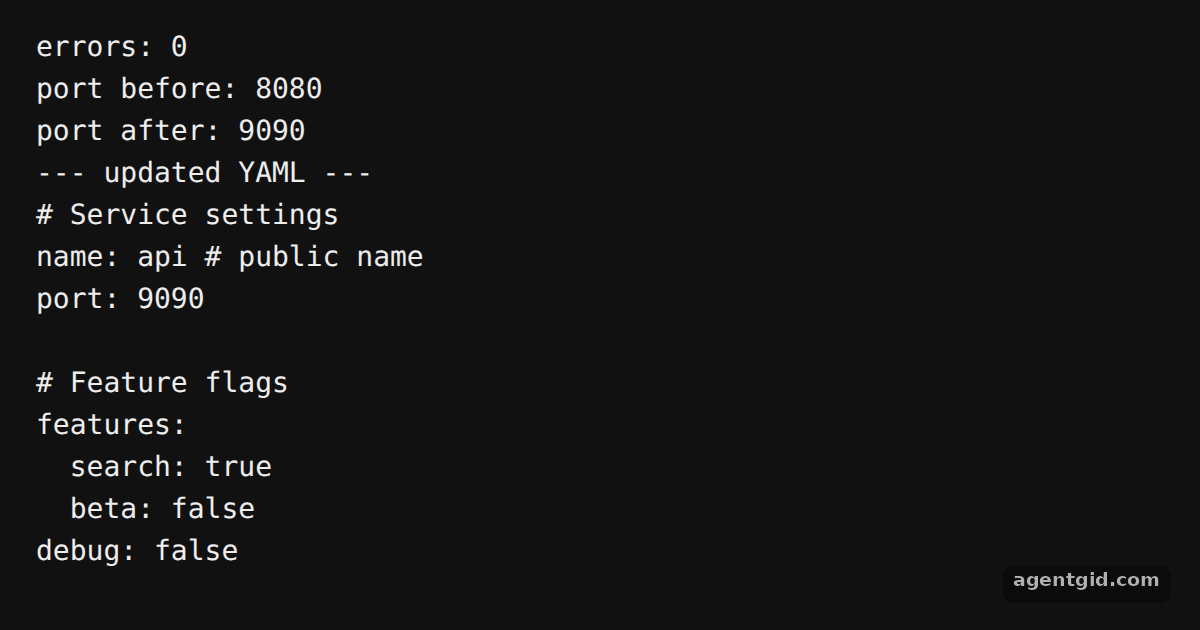
portwithdoc.setand adds a nested flag withdoc.setIn. It also checksdoc.errors, which collects parse problems. [1] - Write it back.
String(doc)turns the document into YAML again. The comments and the blank line from the input are still there, next to the new values. [2]
Run and edit it
It runs in your browser, in a sandboxed frame that cannot see this site; the packages load from esm.sh only after you press Run.
import { parseDocument } from 'yaml'

const src = `# Service settings
name: api # public name
port: 8080

# Feature flags
features:
  search: true
debug: false
`

const doc = parseDocument(src)
console.log('errors:', doc.errors.length)
console.log('port before:', doc.get('port'))

doc.set('port', 9090)
doc.setIn(['features', 'beta'], false)

console.log('port after:', doc.get('port'))
console.log('--- updated YAML ---')
String(doc).trimEnd().split('\n').forEach((line) => console.log(line))
Add another comment to the source text and change a different key with doc.set. Code written by AgentGid [1].
Add another comment to the source text and change a different key with doc.set. Code written by AgentGid [1].Checked Oct 12, 2026: it starts without errors in Chromium with yaml 2.9.1. Needs WebGL.
More yaml examples
Parse YAML in JavaScript with yaml Convert an object to YAML with yaml Parse options and schemas in yaml Multi-document YAML with yaml
Sources
Explanations written by AgentGid from the official docs; the numbers in brackets point here. The code marked "written by AgentGid" is ours and free to copy.