Required fields in React Hook Form
The required rule in register marks a field as mandatory, and formState.errors tells you which fields failed so you can show a message.
All React Hook Form examples React Hook Form: usage and stats
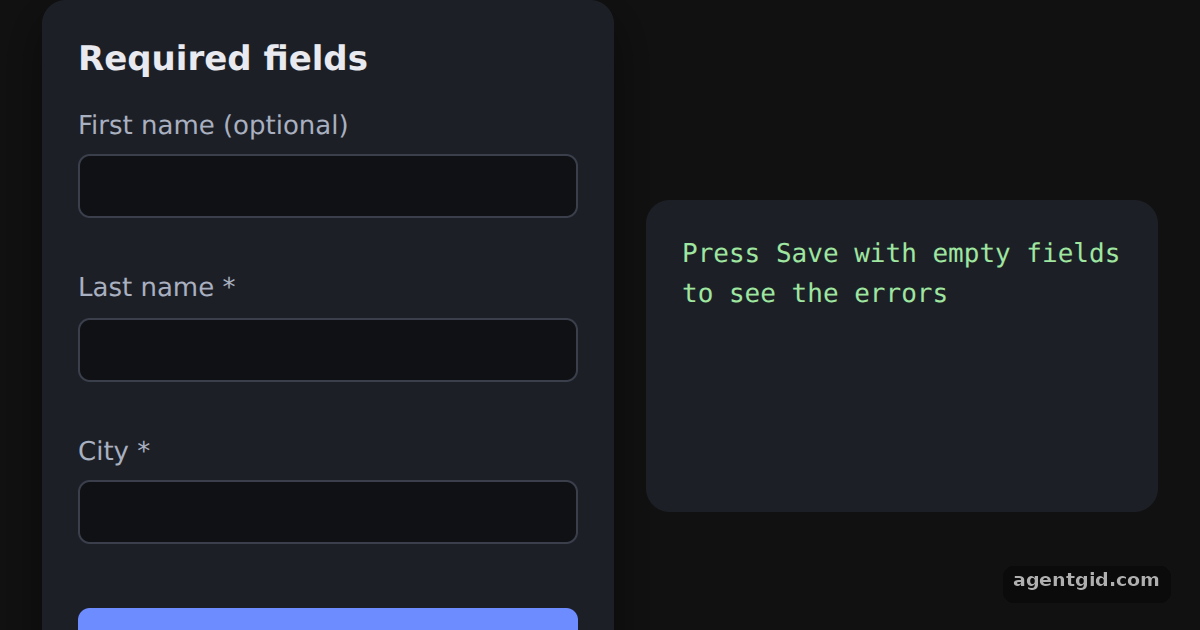
How it works
- Add the required rule. The second argument of
registertakes validation rules.{ required: true }onlastNamemarks it as mandatory, exactly as in the Quickstart. [1] - Read errors from formState. Destructure
errorsfromformState. Whenerrors.lastNameis set, this example prints its own message under the input. [1] - Use a string instead of true. The docs example passes a string to
requiredand later renderserrors.email.message. Thecityfield does the same, so its text comes from the rule itself. [2]
Run and edit it
It runs in your browser, in a sandboxed frame that cannot see this site; the packages load from esm.sh only after you press Run.
import { useState } from "react";
import { useForm } from "react-hook-form";

const S = {
  page: { minHeight: "100vh", display: "flex", alignItems: "center", justifyContent: "center", gap: 16, background: "#111", color: "#e8eaf0", fontFamily: "system-ui, sans-serif" },
  card: { background: "#1c1f26", padding: 18, borderRadius: 12, width: 250, boxShadow: "0 8px 24px rgba(0,0,0,.45)" },
  h: { margin: "0 0 10px", fontSize: 17 },
  label: { display: "block", fontSize: 13, color: "#a9b0c0" },
  input: { display: "block", width: "100%", boxSizing: "border-box", padding: "7px 9px", marginTop: 4, borderRadius: 6, border: "1px solid #3a3f4b", background: "#0f1115", color: "#e8eaf0", fontSize: 14 },
  err: { color: "#ff7b7b", fontSize: 12, margin: "3px 0 8px", minHeight: 15 },
  btn: { marginTop: 6, width: "100%", padding: "9px 0", border: 0, borderRadius: 6, background: "#6c8cff", color: "#fff", fontWeight: 600, fontSize: 14, cursor: "pointer" },
  out: { background: "#1c1f26", padding: 18, borderRadius: 12, width: 220, minHeight: 120, fontFamily: "ui-monospace, monospace", fontSize: 13, whiteSpace: "pre-wrap", color: "#9fe6a0" },
};

export default function App() {
  const { register, handleSubmit, formState: { errors } } = useForm();
  const [saved, setSaved] = useState(null);

  return (
    <div style={S.page}>
      <form onSubmit={handleSubmit((data) => setSaved(data))} style={S.card}>
        <h3 style={S.h}>Required fields</h3>
        <label style={S.label}>First name (optional)
          <input {...register("firstName")} style={S.input} />
        </label>
        <div style={S.err} />
        <label style={S.label}>Last name *
          {/* required: true -> check errors.lastName yourself */}
          <input {...register("lastName", { required: true })} style={S.input} />
        </label>
        <div style={S.err}>{errors.lastName && "Last name is required."}</div>
        <label style={S.label}>City *
          {/* required: "..." -> the text is available as errors.city.message */}
          <input {...register("city", { required: "City is required." })} style={S.input} />
        </label>
        <div style={S.err}>{errors.city && errors.city.message}</div>
        <button type="submit" style={S.btn}>Save</button>
      </form>
      <div style={S.out}>
        {saved ? "Saved:\n" + JSON.stringify(saved, null, 2) : "Press Save with empty fields to see the errors"}
      </div>
    </div>
  );
}
Press Save with the starred fields empty to see both messages, then fill them in and save again. Code written by AgentGid [1].
Press Save with the starred fields empty to see both messages, then fill them in and save again. Code written by AgentGid [1].Checked Oct 12, 2026: it starts without errors in Chromium with react-hook-form 7.90.0, react 19.3.0, react-dom 19.3.0. Needs WebGL.
More React Hook Form examples
useForm, register and handleSubmit in React Hook Form Email validation with pattern in React Hook Form Custom validation with validate in React Hook Form Showing formState errors in React Hook Form
Sources
Explanations written by AgentGid from the official docs; the numbers in brackets point here. The code marked "written by AgentGid" is ours and free to copy.