Two slot groups with a dash in input-otp
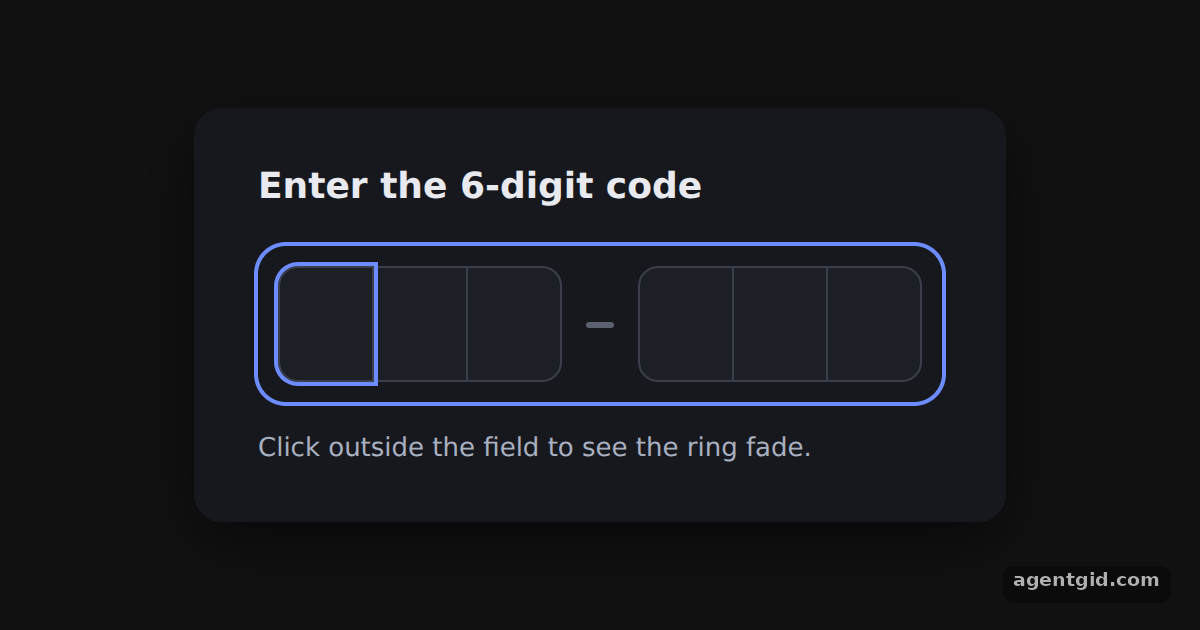
Grouping a code as 3-3 makes it easier to read and compare with the code in a message. In input-otp it is only a change to your markup.
How it works
Run and edit it
It runs in your browser, in a sandboxed frame that cannot see this site; the packages load from esm.sh only after you press Run.
import { OTPInput } from "input-otp";

const CSS = `
.otp-row { display: flex; }
.otp-slot { position: relative; width: 46px; height: 56px; display: flex; align-items: center; justify-content: center;
  border: 1px solid #3a3f4b; border-left-width: 0; background: #1c1f26; color: #f2f4f8;
  font: 600 24px system-ui, sans-serif; outline: 2px solid transparent; transition: outline-color .15s; }
.otp-slot:first-child { border-left-width: 1px; border-radius: 10px 0 0 10px; }
.otp-slot:last-child { border-radius: 0 10px 10px 0; }
.otp-slot.active { outline-color: #6c8cff; z-index: 1; }
.otp-caret { position: absolute; width: 2px; height: 26px; background: #f2f4f8; animation: blink 1s step-end infinite; }
@keyframes blink { 50% { opacity: 0; } }
`;

// One visible box per slot; the real input sits invisibly on top
function Slot({ char, placeholderChar, isActive, hasFakeCaret }) {
  return (
    <div className={isActive ? "otp-slot active" : "otp-slot"}>
      {char ?? placeholderChar}
      {hasFakeCaret && <div className="otp-caret" />}
    </div>
  );
}

export default function App() {
  return (
    <div style={{ minHeight: "100vh", display: "flex", alignItems: "center", justifyContent: "center", background: "#111", fontFamily: "system-ui, sans-serif" }}>
      <style>{CSS}</style>
      <div style={{ background: "#16181d", padding: "26px 32px", borderRadius: 14, color: "#e8eaf0", boxShadow: "0 10px 30px rgba(0,0,0,.5)" }}>
        <h3 style={{ margin: "0 0 16px", fontSize: 18 }}>Enter the 6-digit code</h3>
        <OTPInput
          maxLength={6}
          autoFocus
          render={({ slots, isFocused }) => (
            // isFocused drives a ring around the whole field
            <div style={{ display: "flex", alignItems: "center", gap: 12, padding: 10, borderRadius: 14,
              boxShadow: isFocused ? "0 0 0 2px #6c8cff" : "0 0 0 1px #2a2f3a" }}>
              <div className="otp-row">
                {slots.slice(0, 3).map((slot, idx) => <Slot key={idx} {...slot} />)}
              </div>
              <div style={{ width: 14, height: 3, borderRadius: 2, background: "#5a6070" }} />
              <div className="otp-row">
                {slots.slice(3).map((slot, idx) => <Slot key={idx} {...slot} />)}
              </div>
            </div>
          )}
        />
        <p style={{ margin: "14px 0 0", fontSize: 13, color: "#a9b0c0" }}>Click outside the field to see the ring fade.</p>
      </div>
    </div>
  );
}
Type six characters and watch the caret jump the dash; click outside to see the ring change. Code written by AgentGid [1].
Type six characters and watch the caret jump the dash; click outside to see the ring change. Code written by AgentGid [1].Checked Oct 12, 2026: it starts without errors in Chromium with input-otp 1.5.0, react 19.3.0, react-dom 19.3.0. Needs WebGL.
More input-otp examples
A basic OTP input with input-otp A digits-only PIN in input-otp Auto-submit a code with onComplete Alphanumeric codes and paste cleanup in input-otp
Sources
Explanations written by AgentGid from the official docs; the numbers in brackets point here. The code marked "written by AgentGid" is ours and free to copy.