
three.js examples
by three.js authors (mrdoob)
Hundreds of official three.js WebGL/WebGPU examples (shaders, particles, post-processing, loaders) with full source in the repo's examples folder.
Web animation examples and effects Code libraryOpen source3dabstractdark
1. Price: threejs.org/examples
Fully free.
threejs.org/examplesNo quote yet: price is read from the official pages.
2. Commercial use: raw.githubusercontent.com
“to use, copy, modify, merge, publish, distribute, sublicense, and/or sell”
The three.js code and example code are MIT; example models and textures need their own check.
raw.githubusercontent.com3. Credit the author: raw.githubusercontent.com
“The above copyright notice and this permission notice shall be included in all”
No credit on screen. Keep the license notice inside the code you ship.
raw.githubusercontent.com4. Agent access: github.com/mrdoob/three.js
An agent can install it by itself with npm install three. No key or account is needed.
github.com/mrdoob/three.jsLicense checked Nov 5, 2026 against 1 official page. Tap a verdict to see its source. How we checked Report an error
three.js examples: working 3D scenes to copy
three.js is a free code library that draws 3D scenes in a web page, and its site has hundreds of small working examples, from particle waves to 3D models. You or your AI assistant open one, see its full code and copy the parts you need into your own site. The code is free for paid projects; some example models and pictures have their own licenses.
Where you can use it
Moving background for a landing page
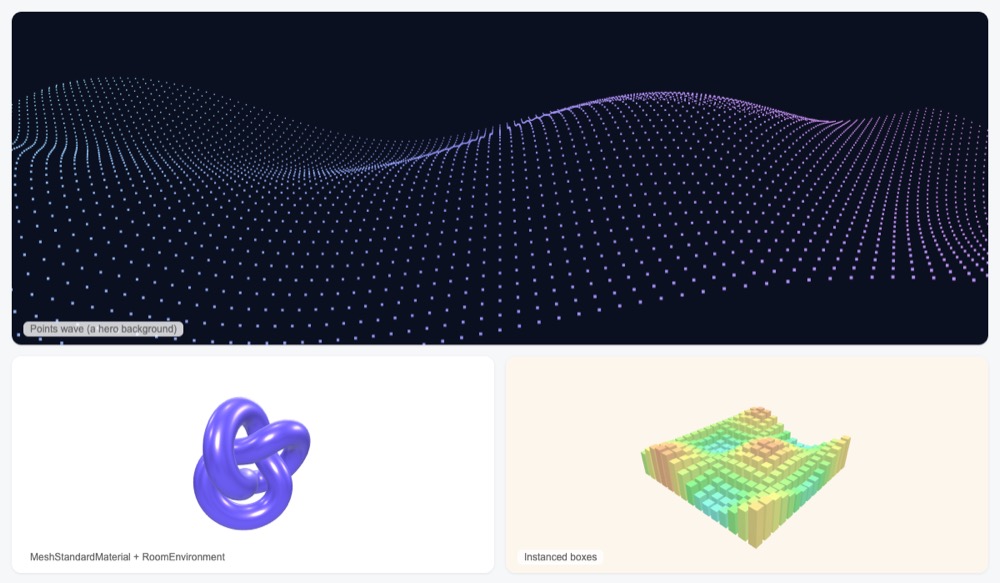
Put a slowly moving 3D scene, like a wave of dots, behind the headline of your home page. The text stays on top and clickable.
A 3D model of your product
Show a product, a building or a character as a 3D model that loads on the page. The docs advise the glTF file format, which many 3D apps can export.
Let visitors turn and zoom the model
Add mouse and touch controls so people can spin a model around and zoom in. Controls, loaders and effects come with three.js and only need to be imported.
Start from an example that already works
Find an effect close to what you want in the examples gallery, open its code, and change colors, shapes and speed. This is faster than starting from an empty page.
Many objects in one scene Idea
Draw hundreds of bars, trees or seats at once, for example a 3D chart or a seating map, without slowing the page down.
As reported by three.js authors (mrdoob): The current builds include WebGL and WebGPU renderers.
three.js examples popularity
Downloads from api.npmjs.org, stars from GitHub, checked Nov 17, 2026. How the Gid Score is calculated
How to start
Tell your AI assistant
“Make a hero background with three.js 0.187.0 from npm, like the points-wave example, a full-window canvas behind the text with pointer-events none, pinned versions, and dispose of the geometry and material when the page section is removed.”
Show codeStep 1 or Step 2
Install three.js and the Vite build tool in your project folder.
# three.js
npm install --save three
# vite
npm install --save-dev vite
Make the three basic parts of every scene: a scene, a camera and a renderer that draws the picture.
import * as THREE from 'three';
const scene = new THREE.Scene();
const camera = new THREE.PerspectiveCamera( 75, window.innerWidth / window.innerHeight, 0.1, 1000 );
const renderer = new THREE.WebGLRenderer();
renderer.setSize( window.innerWidth, window.innerHeight );
document.body.appendChild( renderer.domElement );
Mistakes to avoid
Mixed versions or sources can load duplicate code or break the page.
Module imports and loading models or textures do not work from a double-clicked file.
three.js does not free graphics memory by itself.
import * as THREE from 'three' and then new THREE.WebGPURenderer()import * as THREE from 'three/webgpu' for the WebGPU rendererThe WebGPU renderer lives in a different build file.
Example assets are not all under MIT; some are non-commercial.
License
MIT license. The three.js code is free for personal and paid projects under the MIT license, with no visible credit needed. Keep its short license notice in copies of the code. Models, pictures and sounds used by the examples are not all free; check each one.
“to use, copy, modify, merge, publish, distribute, sublicense, and/or sell” raw.githubusercontent.com
“The above copyright notice and this permission notice shall be included in all” raw.githubusercontent.com
“to use, copy, modify, merge, publish, distribute, sublicense, and/or sell” raw.githubusercontent.com
“to use, copy, modify, merge, publish, distribute, sublicense, and/or sell” raw.githubusercontent.com
AllowedWith conditionsNot allowedNot stated or not checked yet
Is three.js examples free for commercial use? The full answer Not legal advice. Check the license page before you ship.
For your agent
License rules tell your agent what it may do with three.js examples. Paste them into your prompt or AGENTS.md.
- three.js examples (Web animation examples and effects, Video references and motion backgrounds, 3D models). Hundreds of official three.js WebGL/WebGPU examples (shaders, particles, post-processing, loaders) with full source in the repo's examples folder. Price: free; commercial use OK; no credit needed. Style: 3d, abstract, dark.
  Connect: npm three.
  Get files: Open an example, then copy its HTML/JS from github.com/mrdoob/three.js/tree/dev/examples; npm install three (html, js).
  Not allowed: Example assets may have their own licenses
  Rule: Keep the MIT notice if you redistribute the code.
  Rule: Models, textures and sounds used by examples are separate files; do not assume they share the code's MIT license.
License: https://raw.githubusercontent.com/mrdoob/three.js/dev/LICENSE (checked 2026-11-05; details: https://agentgid.com/assets/threejs-examples/)Agent copies the code, snippet or prompt from the page (no account).
npm install threeFormats: html, js
3D: three.js (threejs.org), MIT LicenseAlternatives
three.js examples This page
Pick the React Three Fiber examples when your site is a React app and you want 3D scenes written as React components.
Pick the OGL examples for a smaller library with commented examples that suit light hero backgrounds.
Pick Paper Shaders for ready gradient, grain and glass effects as components, without building a 3D scene.
Lightweight smooth-scroll library often paired with GSAP ScrollTrigger and WebGL scroll effects.
Ready-made CSS keyframe animations (bounce, fade, slide, zoom, attention seekers) added with one class name.
Questions
Can I use code from the three.js examples in a paid product?
Yes. The code is under the MIT license, which allows use and sale of copies; keep the license notice in copies of the code.
Can I also use the 3D models from the examples?
Not always. Each model has its own license, and some, like the damaged helmet, are for non-commercial use only.
Which 3D file format should I use?
glTF (.glb or .gltf), which the docs recommend where possible.
Does it work on devices without the newest graphics support?
The newer WebGPU renderer falls back to WebGL 2 when a device or browser has no WebGPU; the classic WebGL renderer is also available.
Can the 3D scene sit behind my page text?
Yes. The docs show a canvas fixed behind the content or an iframe as the page background.