
Feather
by Cole Bemis
A collection of open-source SVG icons on a 24x24 grid, usable via npm, CDN, SVG sprite or Figma.
Icons Code libraryOpen source
1. Price: feathericons.com
Fully free and open-source under the MIT License.
feathericons.comNo quote yet: price is read from the official pages.
2. Commercial use: LICENSE on GitHub
“to use, copy, modify, merge, publish, distribute, sublicense, and/or sell copies of the Software”
The MIT License allows use in paid products, including selling copies.
LICENSE on GitHub3. Credit the author: LICENSE on GitHub
“The above copyright notice and this permission notice shall be included in all copies or substantial portions of the Software.”
No credit on screen. Keep the license notice inside the code you ship.
LICENSE on GitHub4. Agent access: github.com/feathericons/feather
An agent can install it by itself with npm install feather-icons. No key or account is needed.
github.com/feathericons/featherLicense checked Nov 9, 2026 against 1 official page. Tap a verdict to see its source. How we checked Report an error
Feather: a small set of simple line icons
Feather is a free set of simple line icons, like a camera, a bell or a map pin, all drawn on the same grid. You or your AI assistant add them to a website with one short tag per icon, or use them as image files. They are free for paid products under the MIT license.
Where you can use it
Icons on a simple website
A landing page or blog without a framework marks each spot with a tag and one small script swaps the tags for icons.
Icons in pages made on a server
A server or a build step can turn an icon name into finished icon code, with your own size, line width and color.
Many icons from one file
Load one sprite file once and point to an icon inside it by name, which keeps the page markup short.
Icons as plain image files
Each icon is a separate file, so it works as an image tag, a background in your styles or in an email template.
Icons in Figma mockups
Designers use the same icons from a Figma file while drawing screens, so the mockup and the built site match.
Feature list and contact footer Idea
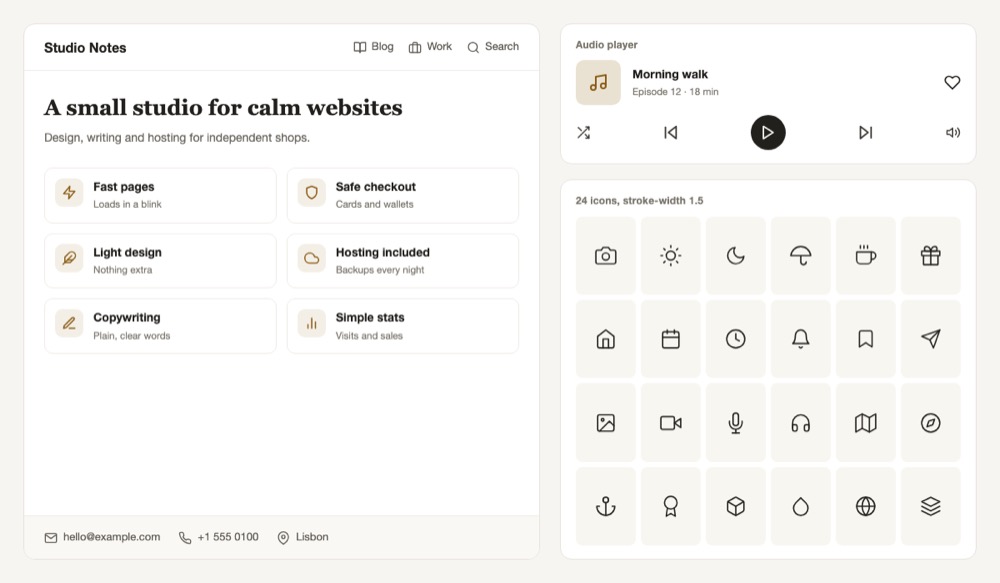
Put a small icon in front of each benefit on a landing page, and before the email, phone and address in the footer.
Feather popularity
Downloads from api.npmjs.org, stars from GitHub, checked Nov 26, 2026. How the Gid Score is calculated
How to start
Tell your AI assistant
“Add Feather icons from feather-icons 4.29.2: copy dist/feather.min.js into the site (no CDN link), put data-feather icons in the menu, the feature list and the footer, call feather.replace(), and give icon-only buttons an aria-label.”
Or install it yourself. Add the package to your project, or copy feather.min.js from it into your site.
npm install feather-icons --saveShow codeStep 1 or Step 2
Mark each spot with a data-feather attribute holding the icon name.
<i data-feather="circle"></i>Call feather.replace() once the page has loaded.
<script>
  feather.replace();
</script>
Mistakes to avoid
Names with a dash cannot be reached with a dot in JavaScript.
The old function still appears in older examples but is deprecated.
replace() looks for elements on a live page, which does not exist on a server.
<script src="https://unpkg.com/feather-icons"></script> on a live siteThe quick-start link names no version, and every visitor's browser then loads the script from a third-party server.
License
MIT license. Free for personal and paid products, and you may change and pass the icons on. Keep the short MIT copyright and permission notice with copies of the files; no visible credit is needed.
“to use, copy, modify, merge, publish, distribute, sublicense, and/or sell copies of the Software” LICENSE on GitHub
“The above copyright notice and this permission notice shall be included in all copies or substantial portions of the Software.” LICENSE on GitHub
“Permission is hereby granted, free of charge, to any person obtaining a copy of this software and associated documentation files” LICENSE on GitHub
“to use, copy, modify, merge, publish, distribute, sublicense, and/or sell copies of the Software” LICENSE on GitHub
AllowedWith conditionsNot allowedNot stated or not checked yet
Is Feather free for commercial use? The full answer Not legal advice. Check the license page before you ship.
For your agent
License rules tell your agent what it may do with Feather. Paste them into your prompt or AGENTS.md.
- Feather (Icons). A collection of open-source SVG icons on a 24x24 grid, usable via npm, CDN, SVG sprite or Figma. Price: free; commercial use OK; no credit needed.
  Connect: npm feather-icons.
  Get files: npm install feather-icons (latest 4.29.2, 2024-05-01); the README also covers a CDN script and an SVG sprite. No account (svg).
  Rule: Keep the MIT license file and copyright notice with the icons you ship.
  Rule: Install via npm (feather-icons) or copy the SVG files into your project instead of hotlinking.
  Rule: No visible credit is required in the app or page.
License: https://github.com/feathericons/feather/blob/HEAD/LICENSE (checked 2026-11-09; details: https://agentgid.com/assets/feather-icons/)Agent installs a package or loads it from a CDN.
npm install feather-iconsFormats: svg
Icons: Feather (feathericons.com), MIT LicenseAlternatives
Feather This page
Pick Lucide, a fork of Feather, when you want the same look with about 2,000 icons and official packages for React, Vue, Svelte and Angular.
Pick Heroicons for MIT icons from the Tailwind makers in outline and solid styles with React and Vue packages.
Pick Tabler Icons for a much larger MIT set that also has filled versions.
WordPress Icons (@wordpress/icons, successor to Dashicons)
WordPress's SVG icon set as an npm package, based on the older Dashicons icon font, under GPL-2.0-or-later.
Material Design Icons (Pictogrammers)
Community Material Design icon set (7,000+ icons, as reported) as SVG, webfont and JS packages (@mdi/js, @mdi/font).
Questions
Can I use Feather icons in a paid app or a client site?
Yes. The MIT License allows using, changing, publishing and selling copies; keep the copyright and permission notice in copies of the files.
Can I change the size, color and line thickness?
Yes. Width, height, color and stroke-width can be passed when an icon is drawn; the defaults are 24 pixels, the text color and a line of 2.
Is there an official React package?
The project lists react-feather and other framework versions as related projects, made outside the main package.
Can I use the icons without any script?
Yes. They are plain image files, so an image tag, a background image or the sprite file work without JavaScript.