Custom formats in Ajv
The format keyword checks a value against a named format. With ajv.addFormat you define your own formats for strings or for numbers.
How it works
- Add a string format.
ajv.addFormat("identifier", regex)registers a format that strings must match. Here a name must start with a letter,$or_. [1] - Add a number format. Passing an object with
type: "number"and avalidatefunction defines thebyteformat: a whole number from 0 to 255. [1] - Use the formats in a schema. The schema refers to both formats by name with the
formatkeyword. Standard formats such as email come from the separate ajv-formats plugin, so this example defines its own. [1]
Run and edit it
It runs in your browser, in a sandboxed frame that cannot see this site; the packages load from esm.sh only after you press Run.
import Ajv from "ajv"

const ajv = new Ajv()

// string format: a regular expression
ajv.addFormat("identifier", /^[a-zA-Z$_][a-zA-Z$_0-9]*$/)

// number format: a validate function, applied to numbers only
ajv.addFormat("byte", {
  type: "number",
  validate: (x) => x >= 0 && x <= 255 && x % 1 == 0,
})

const validate = ajv.compile({
  type: "object",
  properties: {
    name: { type: "string", format: "identifier" },
    r: { type: "number", format: "byte" },
    g: { type: "number", format: "byte" },
    b: { type: "number", format: "byte" },
  },
  required: ["name", "r", "g", "b"],
})

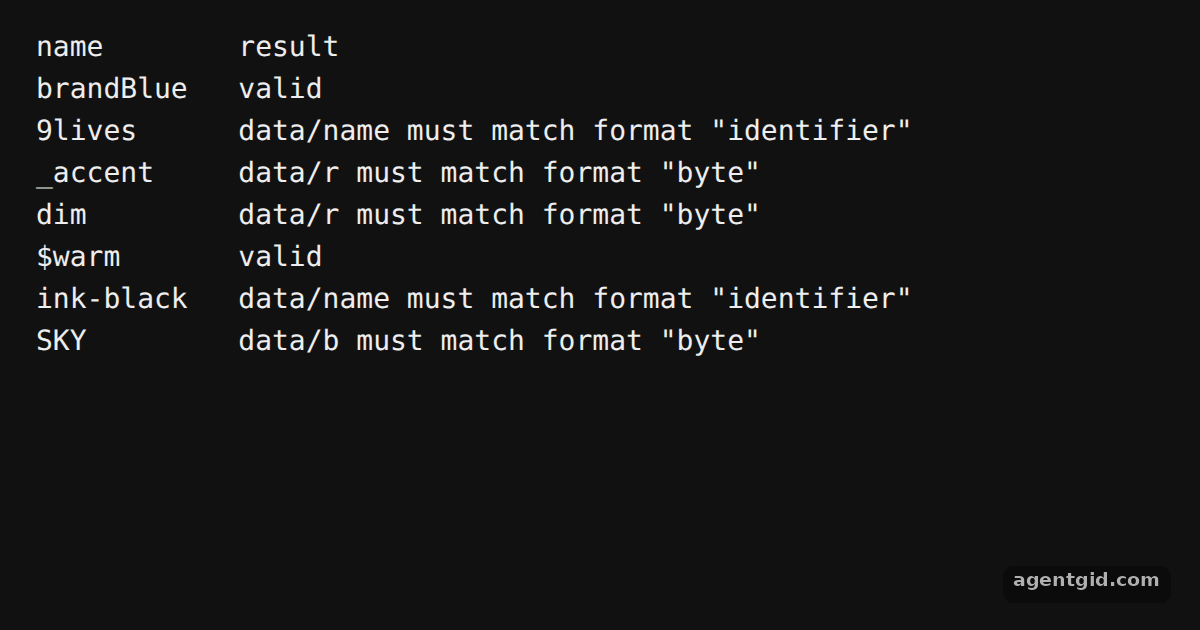
const colors = [
  { name: "brandBlue", r: 30, g: 90, b: 200 },
  { name: "9lives", r: 10, g: 10, b: 10 },
  { name: "_accent", r: 256, g: 0, b: 0 },
  { name: "dim", r: 12.5, g: 0, b: 0 },
  { name: "$warm", r: 255, g: 140, b: 0 },
  { name: "ink-black", r: 0, g: 0, b: 0 },
  { name: "SKY", r: 135, g: 206, b: -1 },
]

console.log("name".padEnd(11), "result")
for (const c of colors) {
  const ok = validate(c)
  console.log(c.name.padEnd(11), ok ? "valid" : ajv.errorsText(validate.errors))
}
Change a channel to 300 or a name to start with a digit to see the format error for that field. Code written by AgentGid [1].
Change a channel to 300 or a name to start with a digit to see the format error for that field. Code written by AgentGid [1].Checked Oct 12, 2026: it starts without errors in Chromium with ajv 8.20.0. Needs WebGL.
More Ajv examples
Compiling a schema with Ajv Collecting all errors with Ajv One-call validation with ajv.validate Reusing schemas with addSchema and $ref
Sources
Explanations written by AgentGid from the official docs; the numbers in brackets point here. The code marked "written by AgentGid" is ours and free to copy.