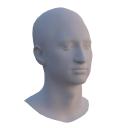
VOCA (Voice Operated Character Animation)
by Max Planck Institute for Intelligent Systems
Speech-driven 3D facial animation model with code; data and trained model need a free sign-in.
AI presenters and avatars Open source
1. Price: github.com/TimoBolkart/voca
Free of charge for non-commercial research, education and artistic projects.
github.com/TimoBolkart/vocaNo quote yet: price is read from the official pages.
2. Commercial use: voca.is.tue.mpg.de/license.html
“Any other use, in particular any use for commercial purposes, is prohibited.”
Any commercial use, including a commercial product or service, is forbidden without a separate license.
voca.is.tue.mpg.de/license.html3. Credit the author: voca.is.tue.mpg.de/license.html
voca.is.tue.mpg.de/license.html4. Agent access: github.com/TimoBolkart/voca
There is no package or API. Files are downloaded by hand from the official site.
github.com/TimoBolkart/vocaLicense checked Oct 27, 2026 against 1 official page. Tap a verdict to see its source. How we checked Report an error
VOCA: a 3D face that talks along with a voice
VOCA is a research model from the Max Planck Institute that moves a 3D head model's lips, jaw and face to match any speech recording. You give it a sound file and a still 3D face, and it returns an animation you can render to video. It is free only for non-commercial research, teaching and art, and the model files need a free sign-up.
Where you can use it
A talking 3D head from a voice clip
Record or pick a speech clip and let VOCA move a 3D face to it. You get a short video and the face shapes for every frame.
Lip-sync for game and VR characters
Animate a character's face for a game scene or a virtual reality avatar when you do not know the speaker or language in advance. This fits non-commercial and art projects only.
Add blinks and head turns
After the speech animation is done, add eye blinks, change the face shape or turn the head, so the result looks less stiff.
New faces to animate
Make random new heads to try the same speech on different faces, or build a head from a photo with the related RingNet project.
A class project on talking faces Idea
Students can compare how speaking styles change the same sentence, using the ready style switch, in a course or thesis.
Animated preview for a short art film Idea
Give a sculpted or scanned head a voice for a non-commercial short film or gallery piece, then render it in your own tool.
As reported by Max Planck Institute for Intelligent Systems: VOCASET has about 29 minutes of 4D scans at 60 fps with audio from 12 speakers.
VOCA (Voice Operated Character Animation) popularity
How to start
Tell your AI assistant
“Set up VOCA from github.com/TimoBolkart/voca in a Python 3.6 or 3.7 virtual environment with the pinned TensorFlow 1.x requirements, wait for me to download the model and FLAME files after I sign up, then run run_voca.py on my wav file with --visualize False and keep it to my non-commercial project.”
Show codeStep 1 or Step 2 or Step 3
Make a Python virtual environment (the code was tested on Python 3.6.8 and TensorFlow 1.14), install FFmpeg and the MPI-IS mesh library, then the requirements.
git clone https://github.com/TimoBolkart/voca.git
pip install -r requirements.txt
The person signs up on the VOCA and FLAME sites and accepts both licenses; then the fetch script downloads the model, the FLAME head model and the DeepSpeech files.
./fetch_data.shRun the demo on the sample sentence and the sample head.
python run_voca.py --tf_model_fname './model/gstep_52280.model' --ds_fname './ds_graph/output_graph.pb' --audio_fname './audio/test_sentence.wav' --template_fname './template/FLAME_sample.ply' --condition_idx 3 --out_path './animation_output'Mistakes to avoid
The code was written and tested for TensorFlow 1.
pip install psbody-mesh from PyPI, or skip itWithout it the run stops with ModuleNotFoundError No module named 'psbody'.
The default renderer breaks on some setups, such as remote machines.
The script asks for the person's own account login for each site.
VOCA can only animate heads that share FLAME's structure.
License
Max Planck non-commercial research license. Free only for non-commercial research, teaching and art projects. Paid products, paid services, sharing the files with others and pornographic use are not allowed; commercial use needs a separate deal with Max Planck.
“Any other use, in particular any use for commercial purposes, is prohibited.” voca.is.tue.mpg.de/license.html
“incorporation in a commercial product, use in a commercial service, or production of other artefacts for commercial purposes.” voca.is.tue.mpg.de/license.html
Sharing, reselling or sublicensing is forbidden; one archive copy is allowed.
“The Data and Software and the license herein granted shall not be copied, shared, distributed, re-sold, offered for re-sale, transferred or sub-licensed in whole or in part except that you may make one copy for archive purposes only.” voca.is.tue.mpg.de/license.html
“Any other use, in particular any use for commercial purposes, is prohibited.” voca.is.tue.mpg.de/license.html
“This license also prohibits the use of the Data and Software to train methods/algorithms/neural networks/etc. for commercial use of any kind.” voca.is.tue.mpg.de/license.html
AllowedWith conditionsNot allowedNot stated or not checked yet
Is VOCA (Voice Operated Character Animation) free for commercial use? The full answer Not legal advice. Check the license page before you ship.
For your agent
License rules tell your agent what it may do with VOCA (Voice Operated Character Animation). Paste them into your prompt or AGENTS.md.
- VOCA (Voice Operated Character Animation) (AI presenters and avatars). Speech-driven 3D facial animation model with code; data and trained model need a free sign-in. Price: free; non-commercial only; cannot ship inside an app; no AI training on its content.
  Connect: download from https://github.com/TimoBolkart/voca (no API).
  Rule: Non-commercial research, education and artistic projects only.
  Rule: No redistribution of the data or software; no use in commercial services.
  Rule: Do not use it for pornographic material.
License: https://voca.is.tue.mpg.de/license.html (checked 2026-10-27; details: https://agentgid.com/assets/voca/)Animation made with VOCA (Max Planck Institute for Intelligent Systems), voca.is.tue.mpg.de, for non-commercial researchAlternatives
VOCA (Voice Operated Character Animation) This page
Pick LivePortrait when you want to animate a portrait photo from a driving video, not a 3D head from sound.
Pick SoulX-FlashTalk when you need a talking-avatar video made from an image and a voice, not 3D face shapes.
Pick HeyGen when the talking presenter video is for a business and you are fine paying a hosted service.
AI avatar video platform with an API and MCP; free videos carry a watermark.
Video hosting and messaging platform with AI avatar presenters, personalized video generation and analytics for sales teams.
Questions
Can I use VOCA for a paid app, a client job or a monetised video?
No. The license allows only non-commercial research, teaching and art; commercial use needs a separate license from Max Planck.
Does it work with speech that is not in English?
Yes, the project page says it takes any speech, including other languages.
Can I animate my own 3D character with it?
Only a head in FLAME topology. You can make one by fitting FLAME to a scan or an image, or by sampling random FLAME heads.
Can I change how the person speaks or moves the head?
Yes. VOCA has controls for speaking style, face shape and head, jaw and eye rotation.
Can I share the model files with my team or put them in my project download?
No. Each person gets the license personally, and the files may not be shared, except one archive copy.