TW Elements
by MDB (mdbootstrap)
Tailwind CSS UI kit with components and 'design blocks' (hero, CTA, features, FAQ, contact, headers); free package MIT, Pro paid.
Website sections and blocks Code libraryminimalcorporate
1. Price: tw-elements.com/pro
Free package MIT; Pro components/blocks paid (which blocks are free not checked).
tw-elements.com/proNo quote yet: price is read from the official pages.
2. Commercial use: tw-elements.com/pro
“In order to use TWE in your commercial projects without limitations, you need to purchase a commercial license”
The free MIT package is free for commercial use; the pricing page's FAQ reads stricter, see know.
tw-elements.com/pro3. Credit the author: tw-elements.com/license
“No attribution required”
No credit on screen. Keep the license notice inside the code you ship.
tw-elements.com/license4. Agent access: github.com/mdbootstrap/TW-Elements
An agent can install it by itself with npm install tw-elements. No key or account is needed.
github.com/mdbootstrap/TW-ElementsLicense checked Nov 9, 2026 against 2 official pages. Tap a verdict to see its source. How we checked Report an error
TW Elements: Tailwind buttons, tabs and pop-ups
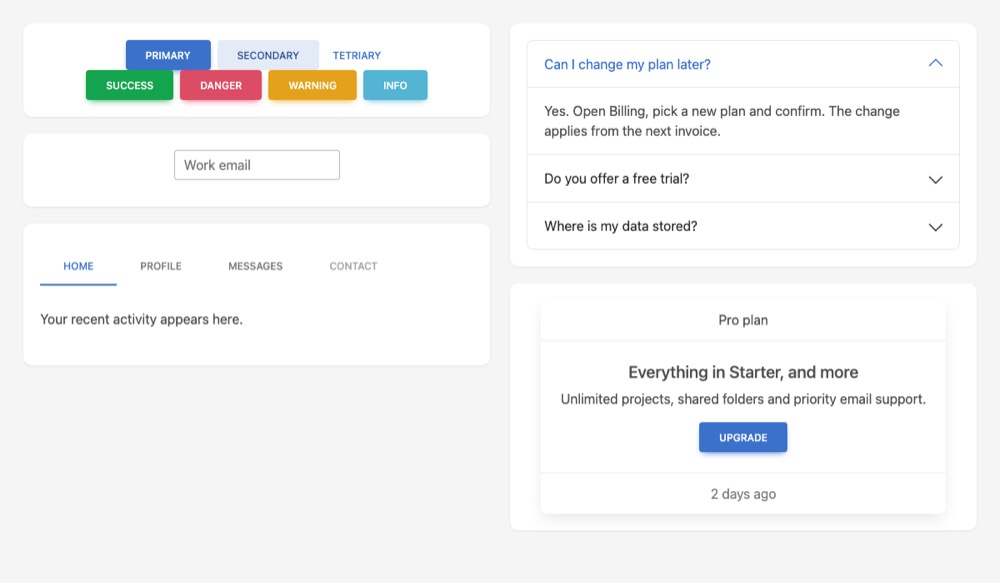
TW Elements is a set of ready page parts for sites styled with Tailwind CSS, such as buttons, question lists, tabs, menus, form fields and pop-up windows. A small script makes them open and close. The free package is MIT licensed. A paid Pro version adds more parts and page sections.
Where you can use it
Question list on a landing page
Add questions whose answers fold open on click, with the first one open. It suits pricing pages and long contact forms.
Tabs on an account page
Split a settings or profile page into tabs such as Profile, Messages and Billing, so only one part shows at a time.
Pop-up windows in a bundled app
Show a confirm or sign-up window over the page. In an app built with a bundler, you load only the parts you use.
Sign-up and contact forms
Build forms with text, email and number fields whose labels sit inside the field and move up when the visitor types.
Ready page sections to start from
Browse hero, pricing, FAQ and contact sections as pictures, then open their code in the TW Elements online editor.
Admin pages in Django or Laravel Idea
Give server-made admin pages buttons, tabs and pop-ups that work from attributes in the HTML, without writing scripts.
TW Elements popularity
Downloads from api.npmjs.org, stars from GitHub, checked Nov 17, 2026. How the Gid Score is calculated
How to start
Tell your AI assistant
“Install tw-elements 2.0.0 (the free MIT package) in this Tailwind v3 project, add its plugin and the node_modules/tw-elements/js path to tailwind.config.js, load js/tw-elements.umd.min.js, and build the FAQ list and the settings tabs from free components only.”
Or install it yourself. In a project with Node.js and Tailwind CSS (set up with a tailwind.config.js file), install the free package.
npm install tw-elementsShow codeStep 1 or Step 2
Add the plugin and the package's script folder to tailwind.config.js.
module.exports = {
  content: ["./src/**/*.{html,js}", "./node_modules/tw-elements/js/**/*.js"],
  plugins: [require("tw-elements/plugin.cjs")],
  darkMode: "class",
};
Load the script before the end of the page, then copy component HTML from the docs.
<script src="./TW-ELEMENTS-PATH/js/tw-elements.umd.min.js"></script>Mistakes to avoid
<script src="../node_modules/tw-elements/dist/js/tw-elements.umd.min.js"></script> (path from the quick start page)<script src="../node_modules/tw-elements/js/tw-elements.umd.min.js"></script>In version 2.0.0 the scripts are in js/ at the package root; there is no dist folder, so the docs path gives a missing file.
import { Datepicker, Chart } from "tw-elements"The free 2.0.0 package does not contain them, although their docs pages say free download.
The ready-made CSS holds only the classes the components use; in our demo grid, gap-5 and p-5 had no effect.
Only the UMD script starts components automatically; the ES build needs initTWE.
npm install -g mdb-cli, then mdb loginnpm install tw-elements inside the projectThe MDB CLI route installs a global tool and needs an MDB account; the plain package needs neither.
License
MIT (free package) license. The free package is MIT licensed, free for personal and paid projects, with no credit needed. The paid Pro version has its own license, which forbids sharing its code or putting it in public open-source projects.
“In order to use TWE in your commercial projects without limitations, you need to purchase a commercial license” tw-elements.com/pro
“No attribution required” tw-elements.com/license
“Free packages are available under the MIT License.” tw-elements.com/license
“Free packages are available under the MIT License.” tw-elements.com/license
AllowedWith conditionsNot allowedNot stated or not checked yet
Is TW Elements free for commercial use? The full answer Not legal advice. Check the license page before you ship.
For your agent
License rules tell your agent what it may do with TW Elements. Paste them into your prompt or AGENTS.md.
- TW Elements (Website sections and blocks, UI kits and website templates). Tailwind CSS UI kit with components and 'design blocks' (hero, CTA, features, FAQ, contact, headers); free package MIT, Pro paid. Price: free tier; commercial use with conditions; no credit needed. Style: minimal, corporate.
  Connect: npm tw-elements.
  Get files: npm install tw-elements, then copy block HTML from tw-elements.com docs; no account for free parts (html).
  Not allowed: Some blocks/components are Pro only
  Rule: Keep the MIT copyright notice in the code if you redistribute it.
  Rule: No visible credit on the site is required by the licence.
  Rule: Check MDB's commercial terms before shipping a commercial product on the free package (the license page and Pro FAQ disagree).
License: https://tw-elements.com/license/ (checked 2026-11-09; details: https://agentgid.com/assets/tw-elements/)Agent installs a package or loads it from a CDN.
npm install tw-elementsFormats: html
UI components: TW Elements (MIT)Alternatives
TW Elements This page
Pick Tailblocks for free MIT page sections you copy as HTML, with no script or package to install.
Pick Uiverse for small community-made buttons, cards, loaders and toggles in HTML and Tailwind, all MIT.
Pick the official Bootstrap examples if your site uses Bootstrap rather than Tailwind CSS.
Free Tailwind CSS components and sections (heroes, pricing, CTA, footers, navbars) plus a few templates, with code for HTML, React, Vue and Svelte.
shadcn/ui marketing blocks (hero, features, pricing, testimonials, footer, logo cloud) for Next.js; the free blocks are MIT on GitHub, premium blocks and pages are paid.
Questions
Is TW Elements free?
The free package is, under the MIT license, for personal and commercial use with no credit required. Pro components and design blocks are paid.
Do I need to credit TW Elements on my site?
No. The license page lists no attribution required for the free package and for Pro.
Can I try it without installing anything?
Yes, with the ready files from a public file server, but that loads files from outside servers on every visit.
Can a client reuse a Pro site's files for another site?
No. Under the Pro license the client may use the site you built, but not the Pro files on their own.