
SpeechT5 TTS
by Microsoft
MIT-licensed English TTS fine-tuned on LibriTTS; the voice is set by a speaker x-vector embedding.
Voiceover (text-to-speech) Open source
1. Price: huggingface.co/microsoft/speecht5_tts
Open weights, free to download; self-hosted.
huggingface.co/microsoft/speecht5_ttsNo quote yet: price is read from the official pages.
2. Commercial use: LICENSE on GitHub
“Permission is hereby granted, free of charge, to any person obtaining a copy of this software and associated documentation files (the "Software"), to deal in the Software without restriction”
MIT allows use in paid products without a fee.
LICENSE on GitHub3. Credit the author: LICENSE on GitHub
“The above copyright notice and this permission notice shall be included in all copies or substantial portions of the Software.”
No credit on screen. Keep the license notice inside the code you ship.
LICENSE on GitHub4. Agent access: github.com/microsoft/SpeechT5
There is no package or API. Files are downloaded by hand from the official site.
github.com/microsoft/SpeechT5License checked Oct 25, 2026 against 1 official page. Tap a verdict to see its source. How we checked Report an error
SpeechT5 TTS: free text-to-speech model from Microsoft
SpeechT5 TTS is a free speech model from Microsoft that turns short written text into spoken audio. It runs on your own computer through the Hugging Face Transformers library, so no account or paid service is needed. The voice comes from a voice code you choose, and you may use it in paid products under the MIT license.
Where you can use it
Spoken messages in an app
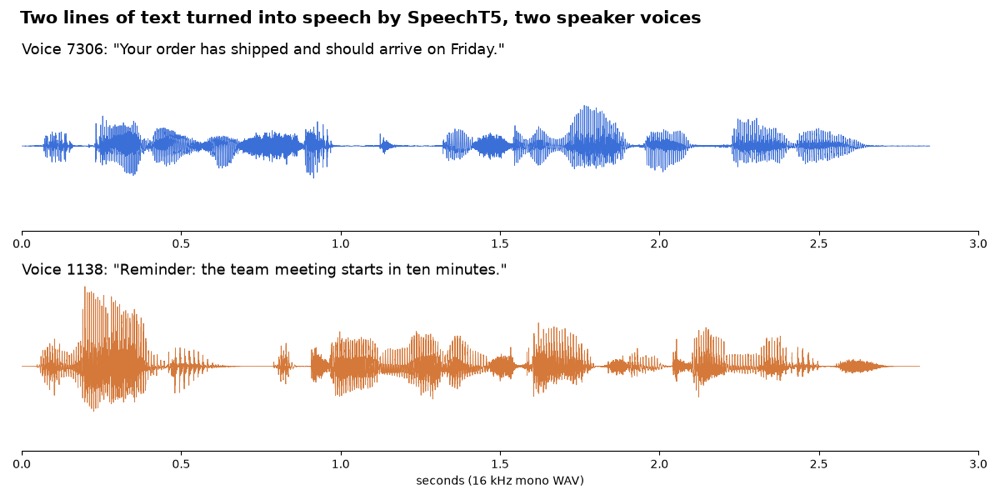
Turn short lines like "Your order has shipped" into a sound file your app or website can play, made on your own server instead of a paid voice service.
A different voice per character
Give each character, bot or announcement its own voice by passing a different voice code, for example in a game, a story app or a language lesson.
Speech with no cloud service
Make spoken audio on your own machine, for example for a private tool or an offline kiosk, so the text never goes to an outside company.
Teach it a new language or voice
Train the model further on your own recordings to get a new language or a new voice. The model page links a ready notebook for this.
Audio for short tips and notes Idea
Add a listen button to short help tips, flash cards or product notes, made once and stored as small audio files.
Placeholder voice for prototypes Idea
Try out a talking assistant or a voice menu with a free voice before paying for a more natural one.
SpeechT5 TTS popularity
How to start
Tell your AI assistant
“In a Python 3.11+ virtual environment, install transformers, sentencepiece, datasets, soundfile and torch, load microsoft/speecht5_tts with the microsoft/speecht5_hifigan vocoder, read speaker x-vector 7306 from Matthijs/cmu-arctic-xvectors with revision="refs/convert/parquet", and save each sentence as a 16 kHz WAV.”
Show codeStep 1 or Step 2 or Step 3
Install the libraries the model page lists (Transformers, sentencepiece and the datasets library for the voice codes), plus PyTorch.
pip install --upgrade pip
pip install --upgrade transformers sentencepiece datasets[audio]
Load the model, the separate HiFi-GAN vocoder and a voice code, then turn text into a 16 kHz waveform.
processor = SpeechT5Processor.from_pretrained("microsoft/speecht5_tts")
model = SpeechT5ForTextToSpeech.from_pretrained("microsoft/speecht5_tts")
vocoder = SpeechT5HifiGan.from_pretrained("microsoft/speecht5_hifigan")

inputs = processor(text="Hello, my dog is cute.", return_tensors="pt")
Save the result as a WAV file at 16 kHz.
sf.write("speech.wav", speech.numpy(), samplerate=16000)Mistakes to avoid
The voice set still uses a loading script, and datasets 4.0 removed scripts; in our run it stopped with "Dataset scripts are no longer supported".
The example calls torch.tensor without importing torch, so it fails with a NameError.
Without the vocoder the model returns a spectrogram, not sound.
The output is always 16 kHz; another rate makes the voice too fast or too slow.
The model's text input has 600 positions (characters), so long text does not fit in one call.
License
MIT license. License, so you may use, change and sell products with it. Keep the copyright and license notice if you share the model files. The license says nothing special about the audio you make.
“Permission is hereby granted, free of charge, to any person obtaining a copy of this software and associated documentation files (the "Software"), to deal in the Software without restriction” LICENSE on GitHub
“The above copyright notice and this permission notice shall be included in all copies or substantial portions of the Software.” LICENSE on GitHub
“Permission is hereby granted, free of charge, to any person obtaining a copy of this software and associated documentation files (the "Software"), to deal in the Software without restriction” LICENSE on GitHub
You may share or re-host the weights with the MIT notice kept.
“The above copyright notice and this permission notice shall be included in all copies or substantial portions of the Software.” LICENSE on GitHub
AllowedWith conditionsNot allowedNot stated or not checked yet
Is SpeechT5 TTS free for commercial use? The full answer Not legal advice. Check the license page before you ship.
For your agent
License rules tell your agent what it may do with SpeechT5 TTS. Paste them into your prompt or AGENTS.md.
- SpeechT5 TTS (Voiceover (text-to-speech)). MIT-licensed English TTS fine-tuned on LibriTTS; the voice is set by a speaker x-vector embedding. Price: free; commercial use OK; no credit needed.
  Connect: download from https://huggingface.co/microsoft/speecht5_tts (no API).
  Rule: Keep the MIT copyright and permission notice when you redistribute the model.
License: https://github.com/microsoft/SpeechT5/blob/main/LICENSE (checked 2026-10-25; details: https://agentgid.com/assets/speecht5-tts/)Speech made with SpeechT5 (Microsoft, MIT License)Alternatives
SpeechT5 TTS This page
Pick Chatterbox for an MIT model that can copy a voice from a short sample in 23 languages, with a built-in watermark.
Pick Piper for a fast local speech engine with many ready voices, each under its own license.
Pick Meta MMS-TTS when you need speech in one of over 1,100 languages, with one small model per language.
Local desktop app for voice cloning, voice design, video dubbing, dictation and transcription in 646 languages, with a local API and an MCP server for agents.
Long-form multi-speaker TTS for podcast-style dialogue, up to 90 minutes and 4 speakers, in English and Chinese.
Questions
Can I use the generated speech in a paid app?
The model is MIT licensed, which allows commercial use; the license does not add rules for the audio you make.
How do I change the voice?
Pass a different speaker embedding, a list of 512 numbers that describes a voice; the example uses voice 7306 from the CMU ARCTIC set.
What audio format comes out?
A mono waveform at 16 kHz, which you save as WAV with soundfile.
Can it speak other languages?
Not out of the box as far as the model page says; it links a notebook to train it on a new language or dataset.
Is there an online demo?
Yes, the model page links a demo on Hugging Face Spaces.